
App setup & integration
Gorgias Setup, Integration & Optimisation for Shopify Stores
Get Gorgias set up properly: Shopify order data in every ticket, smart rules and macros for UK support teams. Fixed-price setup – book a free call today.
Prefer to talk? Call +44 7476 560011 or message us on WhatsApp (opens in new tab)

Gorgias for Shopify: overview and who it suits
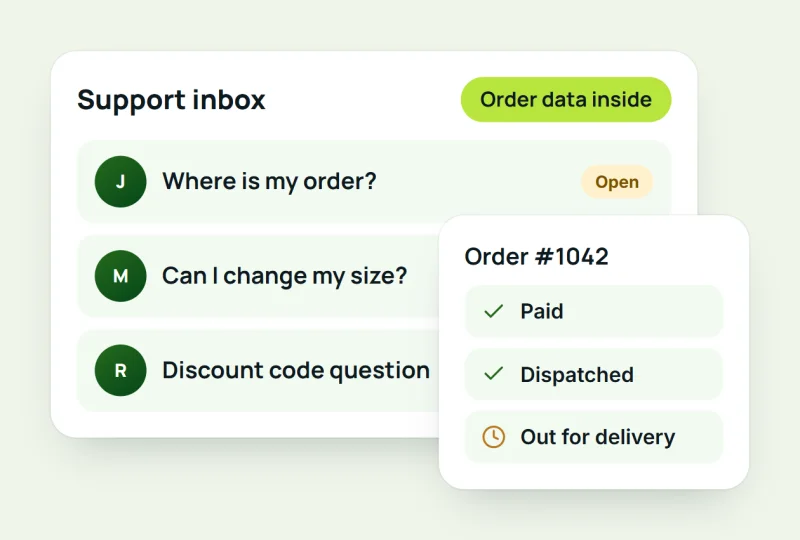
Gorgias is a customer service helpdesk built for ecommerce, and Shopify is where it is most at home. It pulls email, live chat, social messages and, if you switch them on, SMS and voice into one shared inbox, then shows each customer's Shopify orders right beside the conversation. Agents see what someone bought, whether it has shipped and what they paid without hopping between tabs, and they can act on the order from inside the ticket. For a UK brand facing a pile of delivery queries every Monday morning, that alone gives back hours each week.
Gorgias sits at the front of our Operations & Returns stack because good service protects repeat revenue. A fast, accurate reply can turn a delayed parcel from a refund request into a customer who orders again next month.
Who Gorgias suits
- Growing DTC brands whose support has outgrown a shared Gmail or Outlook mailbox.
- Social-first brands fielding Instagram and Facebook comments and DMs alongside email.
- Subscription brands that want Recharge details visible to agents inside each ticket.
- Teams with seasonal peaks, such as Black Friday and Christmas, that need rules and saved replies to keep queues under control.
- Brands adding temporary staff who must give consistent, on-brand answers from day one.
When it may be too much
If you receive a handful of enquiries a week, Shopify Inbox and a tidy email account may serve you well for now. Gorgias pays back once ticket volume, channel count or team size makes manual sorting slow and error-prone. We look at your real enquiry mix first and tell you honestly whether the timing is right, because a helpdesk nobody uses properly is just another monthly bill.
Key Gorgias features for Shopify brands
Gorgias combines a shared inbox with ecommerce-specific tools. These are the features UK merchants rely on most, and the ones we configure first.

One inbox for every channel
Email, chat, Facebook and Instagram messages, and optionally SMS and voice, land in a single queue. Each customer's conversation history stays together, so agents can see at a glance whether someone has already been helped on another channel and nobody answers the same question twice.
Shopify order actions
A sidebar shows the customer's orders, fulfilment status and tracking straight from Shopify. Agents can carry out common tasks, such as refunds and cancellations, from inside the ticket, while user permissions control who is allowed to do what with live order data.
Macros
Saved replies pull in live details such as the customer's first name, order number or tracking link. Macros can also add tags or change a ticket's status, so routine answers stay quick, accurate and on brand, even when seasonal staff join the team.
Rules and routing
Automation rules tag, assign, prioritise or close tickets based on their content, channel or customer details. VIP customers can jump the queue, obvious spam can be cleared automatically and returns questions can go straight to whoever handles them.
Self-service and AI features
Gorgias offers automation and AI tools that can answer common questions, such as order tracking or returns policy, without an agent stepping in. Set up carefully, they clear repetitive requests so your people spend their time on conversations that genuinely need a human.
Reporting and satisfaction
Built-in statistics cover ticket volume, response and resolution times, agent workload and customer satisfaction surveys. Tag-based reports reveal what drives contact, whether that is unclear sizing, slow despatch or a confusing returns page, so you can fix the cause.
Get maximum ROI from Gorgias: setup tips
A few early decisions separate a helpdesk that saves hours from one that simply moves the mess.
Start with your top questions
Write macros for the requests you answer most, beginning with order status, returns and delivery times, then refine them as patterns emerge.
Connect order data first
Link Shopify and your subscription and returns apps before go-live, so agents never need to leave the ticket.
Keep tags short and agreed
A small, shared tag list makes reports meaningful and shows which product or policy generates contact.
Review automations monthly
Check what rules and automated replies are doing, and retire anything that frustrates customers or routes tickets to the wrong person.
App stack
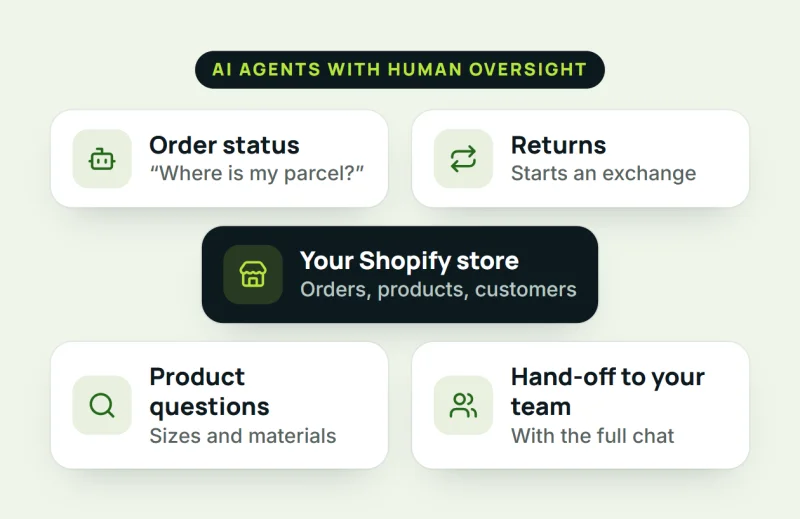
Where Gorgias sits in your app stack
A typical service stack with Gorgias at the centre, grouped by the job each tool does.
Popular tools by job
Tool names are examples; trademarks belong to their owners.
Customer service hub
Every conversation lands here, with order context attached.
- GorgiasHelpdesk, chat, macros and rules
Returns and exchanges
Agents can check where a return stands without chasing the warehouse or the customer.
- Loop ReturnsExchange-first returns portal
Subscriptions
Subscription details sit next to the customer's orders, so agents can answer delivery and billing questions quickly.
- RechargeSubscription billing and management
Email and SMS
Service and marketing teams see the same customer picture.
- KlaviyoEmail and SMS marketing
Automation
Store events set the tags that help agents spot VIPs and prioritise.
- Shopify FlowNo-code store automation
Gorgias integrations: website, CRM and call tracking
Gorgias works best when it is wired into the systems your team already uses every day.
Website and chat
The chat widget is styled to your brand, tested on mobile and set to show your opening hours, so customers know when to expect a reply.
CRM and email
Connecting Klaviyo and Recharge puts marketing and subscription history beside every ticket for a fuller customer view.
Phone and call tracking
Gorgias voice features let calls sit alongside tickets. If you use separate call tracking, we keep campaign tagging consistent.
Analytics
We read Gorgias statistics against Shopify reports, so contact rates are judged in line with order volume.
Gorgias pricing overview
Gorgias is a paid helpdesk. Its plans have generally been priced by the number of tickets your team handles each month rather than by agent seats, which suits brands that bring in seasonal staff. Automation and AI features, and some channels such as voice and SMS, may be charged on top of the core plan. Plans and terms change, so check the current options on Gorgias's official website (opens in new tab) before you set a budget, and ask how your busiest months would be billed.
What shapes your total Gorgias cost
- The Gorgias subscription, billed by Gorgias directly and never marked up by us.
- Ticket volume and seasonality. A Black Friday spike or a delayed shipment can push a quiet month onto a higher tier, so model your peak, not your average.
- Add-ons. Automation, AI and extra channels can each add cost, so switch on only what you will use.
- Connected apps. Recharge, Loop and Klaviyo carry their own fees, and some integrations need their higher plans.
- Implementation and training. This is where we come in, at a fixed price agreed before work begins.
How to judge value
Measure Gorgias against time saved and revenue protected, not just its monthly fee. Before launch, note how many enquiries you handle, how long first replies take and how many hours the team spends on support. After a full trading month, compare like for like. Fewer repeat contacts, quicker answers and fewer refunds caused by slow replies are the signs it is paying its way. If the numbers disappoint, the cause is usually untidy rules or missing integrations rather than the platform itself.
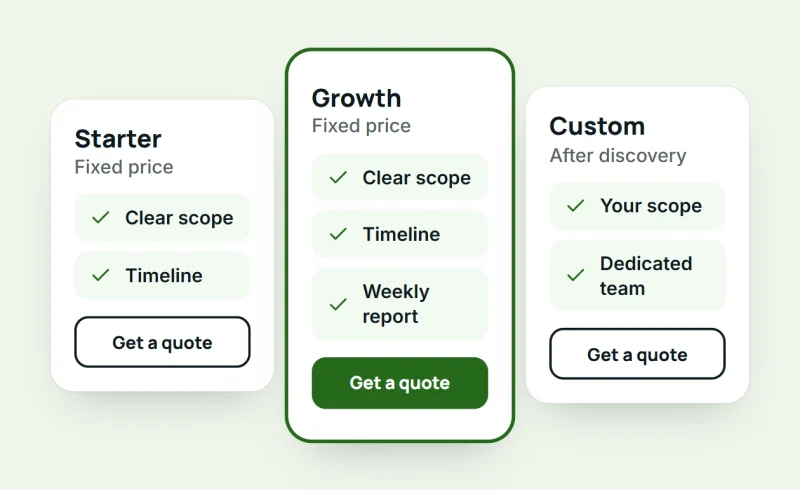
Our setup fees are fixed and shown in the price block below, ex VAT, so the only variable left is the plan you agree with Gorgias.
What merchants say about Gorgias
We do not quote star ratings or reviews here, because they move month to month and a snapshot soon misleads. For live feedback, open Gorgias's listing on the Shopify App Store, then compare its profiles on G2 and Capterra, and check Trustpilot for any recent comments. Note the month each review was posted and give the last year the most weight, as helpdesk features and pricing change quickly.
Read for patterns: how billing felt during busy months, the quality of onboarding, the reliability of the Shopify connection and how well automation handled real customer questions. Reviews from brands with a similar ticket volume to yours will tell you most.
Gorgias alternatives to consider
Comparing helpdesks before you commit?
Gorgias vs Zendesk for Shopify
Our side-by-side look at both helpdesks for UK support teams, covering features and pricing models.
Shopify Inbox
Shopify's free chat app for simple storefront conversations.
How we help with Gorgias
Our Apps Integration & Setup team configures Gorgias at a fixed price. Too many overlapping tools? Begin with Tech Stack Audit & Consulting.
Starter
From £495 one-off, ex VAT
Best for: Gorgias set up, connected and walked through with your team
What it covers:
- Channels, chat widget and macros
- Shopify connection and QA
Growth
From £1,495 one-off, ex VAT
Best for: Gorgias plus up to three connected tools
What it covers:
- Rules, routing and voice
- Team training sessions
Custom
Get a quote
Best for: Helpdesk migrations, multi-store or Plus
What it covers:
- Scoped after discovery
- Get a quote
Fixed prices, agreed before work starts. All prices exclude VAT.
Compare every service on our Shopify pricing page.
Can Gorgias cope with UK opening hours and bank holidays?
Yes. You can set business hours so chat and auto-replies tell customers when to expect an answer, and adjust messaging ahead of bank holidays, Christmas closures or a warehouse stocktake. We set these up with your team so out-of-hours replies feel helpful rather than robotic, and point customers to self-service answers where those will solve the problem faster.
How hard is it to move from Gmail or another helpdesk to Gorgias?
The technical switch is usually the easy part. Most of the effort goes into mapping channels, writing macros, agreeing tags and building rules that match how your team really works. Whether historic tickets can come across depends on the system you are leaving. We confirm that during discovery and give you a fixed timeline in the proposal.
Is customer data safe when you set up Gorgias?
Gorgias publishes its own security and data-processing information, which is worth reviewing alongside your privacy policy. On our side, we sign an NDA before any data is shared, use least-privilege access with two-factor authentication, work to UK GDPR, never use client data to train AI models and delete our copies when the contract ends.
How much does Gorgias setup cost with Shopify Agency London?
Starter is from £495 ex VAT for one tool set up, connected and walked through with your team. Growth is from £1,495 ex VAT and covers up to four tools, automations, call tracking and training, ideal if Gorgias needs linking to Recharge, Loop and Klaviyo. Your Gorgias subscription is billed separately by Gorgias.
Free consultation
Get help with your app stack
Share your details and a member of our team will follow up to arrange a brief discussion.
Tell us about your project
What happens next
- You send your store and project details.
- We follow up to arrange a short call.
- On the call, we talk through your goals and explain how we would scope the work.
Talk to us directly
Waverley House, 9 Noel St, London W1F 8GQ
Phone +44 7476 560011 WhatsApp +44 7476 560011 (opens in new tab) Email hello@shopifyagencylondon.co.ukPrefer the full contact page? Visit our Contact / Free Consultation page.