
Speed and Core Web Vitals
Shopify Speed Optimization and Core Web Vitals Fixes for UK Stores
Strip out the code, scripts and image weight slowing every visit down.
Our Shopify speed optimization service finds what is really holding your storefront back, from heavy hero images and leftover app code to render-blocking scripts and inefficient Liquid, then fixes it in priority order on a safe duplicate theme. A technical lead, a project manager and experienced theme developers work to a fixed price, prove each change against real-user and lab data, and report weekly, so shoppers on a patchy 4G signal enjoy a smoother experience, not just those on fast broadband.
Prefer to talk? Call +44 7476 560011 or message us on WhatsApp (opens in new tab)

Who needs Shopify speed optimisation
Speed work is one of the shopify development services that pays back across every channel, because each paid click, email and organic visit lands on the same pages. Most slow Shopify stores were not built slow. They gathered weight over time: an app for reviews, another for upsells, a chat widget, several tracking pixels and a homepage video added the week before a sale.
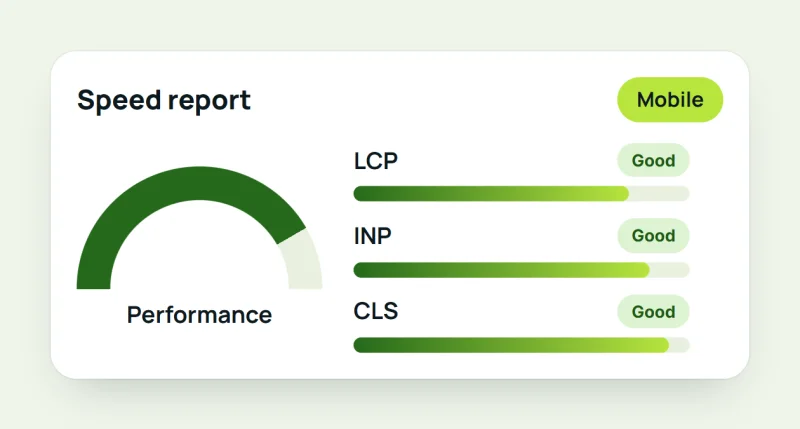
A speed audit is worth booking if you notice:
It suits DTC brands on any Shopify plan, from a growing candle maker in Bristol to a Plus fashion retailer preparing for Black Friday traffic. Speed is never just a score on a testing tool. It is about how quickly a real shopper on a mid-range phone can see your products, tap the right option and pay without waiting. If you have ever wondered whether your store is slower than it should be, an audit gives you the evidence.
- Core Web Vitals warnings in Google Search Console or Shopify's web performance report
- product images that appear late, or pages that jump as banners load
- a sluggish mobile menu, filter panel or cart drawer
- code still in your theme from apps you uninstalled long ago
- a theme customised by several freelancers over the years with no clear owner
What our Shopify speed optimization covers
Each engagement combines measurement, engineering and governance, so improvements last beyond the next app install; for a primer on the basics, read our Shopify Speed Optimisation Guide.
Real-user and lab baseline
We gather field data from Shopify's web performance report and Google Search Console, then run controlled lab tests on your key templates. Combining both views shows where shoppers genuinely wait, rather than chasing a single PageSpeed score that shifts with every test run. We also agree which pages and devices matter most commercially.
Core Web Vitals diagnosis
Largest Contentful Paint, Interaction to Next Paint and Cumulative Layout Shift each have different causes. We trace every failing metric to a specific element, script or resource, so fixes target the true bottleneck on home, collection, product and cart templates. Each finding is logged with evidence and a proposed fix.
App and third-party script audit
Every app, pixel and widget is listed with what it loads, where and why. We remove dead code left behind by uninstalled apps, move tracking to Shopify's customer events where possible and delay non-essential scripts until the page is usable. You get a clear inventory showing what each app costs in speed.
Image and media optimisation
Images are served from Shopify's CDN at the right size for each screen, with sensible lazy loading below the fold. Hero images are prioritised rather than delayed, and autoplay videos, heavy carousels and oversized GIFs are reworked or replaced with lighter alternatives. Your photography stays sharp; it simply arrives faster.
Theme and Liquid code optimisation
Our theme developers profile Liquid rendering, remove unused sections and snippets, simplify heavy loops over large collections and trim CSS and JavaScript bundles. Where a theme is beyond rescue, we explain the case for rebuilding on a modern Online Store 2.0 theme.
Font and render path tuning
Custom fonts are limited to the weights you actually use and loaded so text appears straight away, while critical styles reach the browser first. The result is readable content sooner and layouts that stay still while the rest of the page finishes loading.
Mobile interaction fixes
Menus, filters, variant pickers and cart drawers are tested on mid-range Android phones as well as iPhones. We break up long JavaScript tasks so taps respond promptly, which matters most when shoppers browse on a train or in a weak-signal spot. Sticky headers and pop-ups are checked so they never cover the buy button.
Consent banner and tag efficiency
Cookie banners and analytics tags can quietly slow first loads. We review how your banner loads, make sure tags respect UK GDPR and PECR consent choices, and consolidate duplicate pixels, so you keep reliable data without paying for it in speed.
Performance budget and monitoring
We finish with an agreed performance budget, written guidelines for adding apps and content, and a simple monitoring routine. Your team knows what each new feature costs in speed before it goes live, so hard-won gains are not quietly lost in the months that follow.
Your speed optimisation roadmap
A typical project moves through four stages. Timings depend on theme complexity, the number of apps installed and how much custom code is involved, so treat these labels as typical stages rather than commitments. Larger catalogues or Plus stores with checkout extensions may need longer.
Week 1
Baseline and safe set-up
- NDA signed, collaborator access granted and a duplicate of your live theme created for risk-free testing.
- Field and lab baselines captured for your highest-traffic templates on both mobile and desktop devices.
Weeks 2–3
Diagnosis and quick wins
- Every app, script, image and font audited, with each finding ranked by likely impact and effort to fix.
- Low-risk quick wins, such as image sizing and removing dead app code, prepared and released first.
Weeks 3–5
Deeper fixes on staging
- Liquid, JavaScript and CSS refactoring carried out on the duplicate theme, never directly on your live store.
- Each change measured, tested across real devices and browsers, then passed through 4-eyes review.
Week 6 onwards
Release and monitoring
- Approved theme published with a rollback plan, and a fresh baseline recorded straight after release.
- Field data tracked over the following weeks, because real-user metrics take time to reflect improvements, so we report on them at each monthly review.
Stages, not fixed durations. Timings are agreed with you once the scope is clear.
How a SAL speed project runs
Speed work follows our ten-step delivery system, condensed here into the six stages you will actually see as a client, from the first call to ongoing support.

Discovery and NDA
We sign an NDA, agree which templates and journeys matter most commercially, and note any trading peaks or launches we need to work around.
Fixed scope and quote
You get a fixed-price scope listing the audit, the fixes included and the timeline, with nothing billed by the hour and no surprises on the invoice.
Secure onboarding
Collaborator access is granted with minimum permissions, credentials sit in a password manager protected by 2FA, and every login is recorded in an access log.
Planning and sprints
A roadmap assigns an owner to each fix, then developers work through it in one- to two-week sprints with daily internal stand-ups, tackling the highest-impact items first.
QA and client review
Changes pass device testing, checklists, 4-eyes review and lead sign-off, then you review them on a preview link alongside a recorded walkthrough.
Launch and reporting
Releases follow a go-live checklist and rollback plan, backed by weekly updates and a monthly report on Core Web Vitals, speed and conversion.
Tools we use to measure and fix speed
Good speed work starts with honest measurement, so we combine Google's tools, Shopify's own reporting and developer profilers rather than relying on any single score.
Shopify web performance report
Real-user Core Web Vitals inside your admin, showing how theme changes and app installs affect actual visitors over time, not just a lab test on one device.
Google Search Console
The Core Web Vitals report groups similar URLs by status, so we can see which templates Google classes as poor or needing improvement and track them after release.
PageSpeed Insights and Lighthouse
Repeatable lab tests that pinpoint render-blocking resources, oversized images and long tasks on specific URLs, before and after each fix.
Chrome DevTools and WebPageTest
Waterfalls, filmstrips and performance traces that show exactly what loads, in what order, and what is holding up the main thread.
Shopify Theme Inspector for Chrome
Shopify's browser extension for profiling Liquid render times, ideal for finding the slow sections and snippets inside a heavily customised theme.
Shopify CLI and Theme Check
Local development and linting tools that catch performance anti-patterns, such as parser-blocking scripts, before code ever reaches your live theme.
Speed, AI and the new search landscape
AI is changing both how we diagnose slow stores and why speed matters. On the diagnostic side, we use AI assistants to summarise long performance traces, explain unfamiliar third-party scripts and suggest refactoring options for repetitive Liquid or JavaScript patterns. A developer still checks, tests and owns every line before it reaches your staging theme.
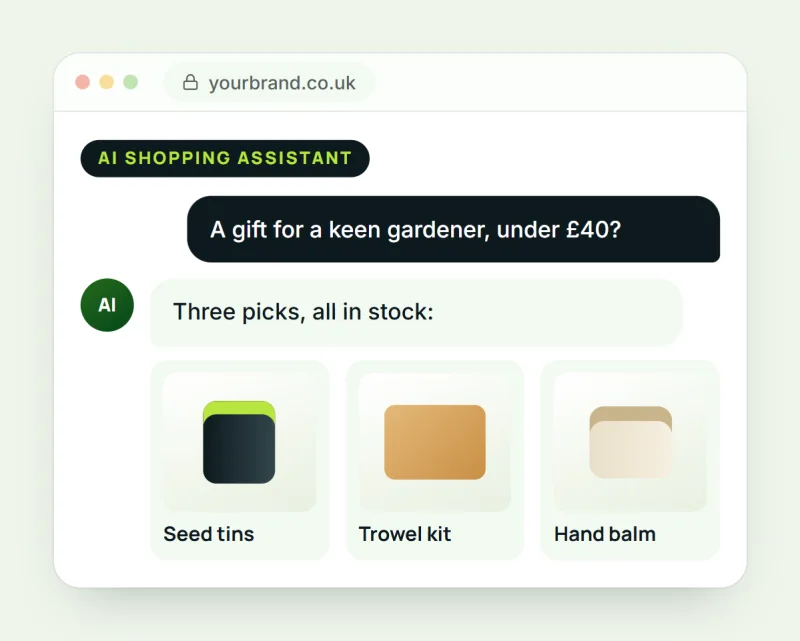
AI also helps your team keep the store lean once we hand over. Shopify Magic can draft product copy without installing an extra app, and Sidekick can answer admin questions, which reduces the temptation to add yet another plugin for a small job.
On the discovery side, AI shopping assistants and AI-generated search answers increasingly send visitors straight to product pages. Those visitors arrive with a specific question and little patience, so a fast, stable product page becomes their first impression of your brand. Clean, well-structured HTML and quick responses also make your content easier for automated systems to read.
Your data stays protected throughout, with least-privilege access, human review of AI output and no use of client data to train AI models. To prepare your catalogue for AI-driven discovery, see AI Search Optimisation for Shopify.
App stack
A lean app stack for a fast store
The fastest app is the one you never install, but some jobs genuinely need one. We favour apps built on Shopify's theme app extensions, because their code is easier to control and is removed cleanly when an app is uninstalled. Every app we recommend is tested on a duplicate theme before it reaches shoppers.
Popular tools by job
Tool names are examples; trademarks belong to their owners.
Native features first
Shopify's own free apps often replace third-party plugins and their extra scripts with built-in tools.
- Shopify Search & DiscoveryFilters, synonyms and product recommendations
- Shopify BundlesFixed bundles without a heavy app
- Shopify FormsNative email and SMS sign-up forms
Image handling
Bulk tools help when thousands of legacy images were uploaded far larger than any screen needs.
- TinyIMGBulk image compression and resizing
- Crush.picsAutomatic compression of new uploads
Reviews and social proof
Reviews are essential, so we configure widgets to load only on the templates where they add value.
- Judge.meProduct reviews and star ratings
- OkendoReviews, UGC and customer photos
Tracking and consent
Consolidating tags cuts duplicate scripts while respecting every shopper's consent choice.
- Shopify cookie bannerBuilt-in consent management
- Google & YouTubeGoogle tags through customer events
- Facebook & InstagramMeta pixel and Conversions API
Fixed prices for a faster Shopify store
Our fixed, ex-VAT prices cover store setup and design built lean from day one, while speed audits and fixes on existing stores are quoted as Custom. See what affects shopify website cost before you plan your budget.
Starter
From £1,995 one-off, ex VAT
Best for: Theme-based store set up lean, with performance checks before launch
What it covers:
- Correctly sized images and fonts
- Minimal, vetted app set
- Pre-launch Core Web Vitals check
Growth
From £4,995 one-off, ex VAT
Best for: Custom design store engineered around an agreed performance budget
What it covers:
- Hand-built, lightweight sections
- Script loading strategy
- Mobile interaction testing
Custom
Get a quote
Best for: Speed audits and remediation for existing stores – get a quote
What it covers:
- App and script audit
- Liquid and JavaScript refactoring
- Scope agreed after discovery
Fixed prices, agreed before work starts. All prices exclude VAT.
Compare every service on our Shopify pricing page.
Watch our speed audit method on a live walkthrough
- NDA signed before any data is shared
- Least-privilege access with 2FA
- UK GDPR and data processing terms
- Your data never trains AI models
Performance data, theme code and app lists reveal a lot about how a brand trades, so every speed project we run is covered by an NDA. That is why we do not publish client names, before-and-after scores or revenue claims here, and why we will happily sign an NDA with you before you share any access.
What we can do is show you our method on a screen-share. On Zoom or Google Meet, a Shopify technical lead will walk you through:
- how we combine field data and lab tests to find the real bottlenecks
- a sample audit structure, from script inventory to ranked fix list
- how changes are built and tested on a duplicate theme before release
- the performance budget and monitoring routine we hand over at the end
Throughout delivery we keep access least-privilege with 2FA, honour a non-solicit commitment, follow UK GDPR, never use your data to train AI models and delete it when the contract ends. See our security and privacy commitments in full, or Book a Live Walkthrough with our team at a time that suits you. Bring your questions and your store URL, and we will talk through how the method would apply to your theme.
Why is my Shopify store slow when Shopify handles the hosting?
Shopify's hosting and global CDN are fast, but the theme, apps, images and tracking scripts you add sit on top of them. Most slowdowns come from that layer: unoptimised media, several apps injecting JavaScript and theme code edited many times over. That is exactly the layer we audit and fix.
Will you guarantee a specific PageSpeed score?
No, and we would be wary of anyone who does. Lab scores vary between tests, devices and locations, and a perfect score can sit alongside a poor shopping experience. We commit to a transparent method, measured improvements against agreed baselines and fixes that target real-user Core Web Vitals rather than vanity numbers.
Do I have to remove apps to speed up my store?
Not necessarily. Some apps earn their place, so we look at what each one loads and where. Often the answer is configuring an app to load only on relevant templates, replacing it with a native Shopify feature or removing leftover code from apps you stopped using long ago.
Could speed changes break anything on my live store?
We work on a duplicate theme, never the live one, and every change passes device testing, checklists and 4-eyes review before release. You approve everything on a preview link first, and each launch has a rollback plan, so the previous theme can be restored quickly if anything unexpected appears.
How long until improvements show in Search Console?
Lab tests show changes immediately, but Search Console and other field data sources report on a rolling window of real visits, so updates appear gradually over several weeks. We record baselines before and after release and keep tracking field data until the new figures settle, then report the outcome.
Is a speed audit worth it if a redesign is coming soon?
Often, yes. An audit tells you which apps, scripts and patterns caused the slowdown, so the new build avoids repeating them. If a redesign is close, we fold the findings into the brief and set a performance budget that your new theme must meet before it goes live.
Do faster pages help Shopify SEO?
Page experience, including Core Web Vitals, is one of many signals Google considers, so speed alone will not transform rankings. It does help visitors from search stay engaged once they land, and it gives your content and technical SEO a stronger foundation to build on.
What does Shopify speed optimisation cost?
Speed audits and fixes on existing stores are scoped as Custom work, with a fixed quote after discovery based on theme complexity and app count. If you are launching or rebuilding, our store prices start from £1,995 for a theme-based store and £4,995 for a custom design store, ex VAT, with performance built in.
Ready for a faster Shopify store?
Share your store URL and the templates that feel slowest, and a technical lead will review them, outline the likely culprits and send a fixed-price plan for making every page load and respond faster on the phones your customers actually use, with clear priorities for the very first sprint.
Free consultation
Get a fixed quote for shopify Speed Optimisation
Share your details and a member of our team will follow up to arrange a brief discussion.
Tell us about your project
What happens next
- You send your store and project details.
- We follow up to arrange a short call.
- On the call, we talk through your goals and explain how we would scope the work.
Talk to us directly
Waverley House, 9 Noel St, London W1F 8GQ
Phone +44 7476 560011 WhatsApp +44 7476 560011 (opens in new tab) Email hello@shopifyagencylondon.co.ukPrefer the full contact page? Visit our Contact / Free Consultation page.