
Retail meets ecommerce
Shopify POS Setup That Unites Your Shop and Online Store
One system for tills, stock, customers and online orders from opening day.
Our Shopify POS service connects your shop, pop-up stall or concession to the online store you already run, so stock, customer profiles, gift cards and sales reports live in one place instead of three. We plan the rollout, configure hardware and payments, train your team and test every transaction type before the doors open, giving UK retailers a till system that sells confidently on a busy high street and online at the same time.
Prefer to talk? Call +44 7476 560011 or message us on WhatsApp (opens in new tab)
Who needs a properly planned POS rollout
We set up Shopify POS as part of our broader shopify development services, with the same planning and QA as any build. That matters, because plenty of brands start selling in person with a borrowed card reader and a spreadsheet, then find that stock counts drift, the website oversells items already sold in the shop and nobody can tell which channel a loyal customer prefers. Shopify POS fixes this by running your shop on the same platform as your website.
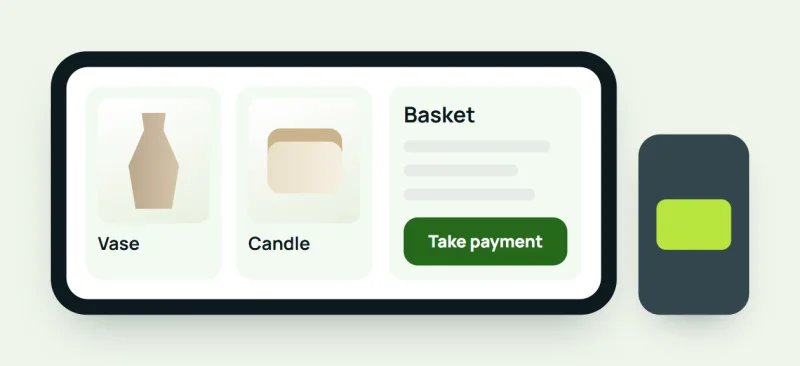
We typically help:
Done well, Shopify POS turns every shop visit into customer insight you can use online, and every online customer into a likely visitor to your shop, concession or next pop-up.
- Online-first brands opening a shop or flagship, who want in-store sales to feed the same customer records and stock as ecommerce.
- Brands trading at markets, fairs and pop-ups, from Christmas markets to weekend events in Spitalfields or Brighton's Lanes, who need quick, dependable mobile checkout.
- Independent retailers replacing legacy tills that never talk to the online store and force double data entry every evening.
- Multi-location retailers needing stock transfers, staff permissions and clear reporting for each shop.
What our Shopify POS setup includes
Choose a single-shop setup or a full omnichannel rollout across several locations. For an overview of how retailers use the platform, read Shopify POS for UK Retail Stores.
POS planning and plan choice
We map how you sell in person today, then advise whether POS Lite, included with Shopify plans, covers your needs or whether the paid, per-location POS Pro features will earn their keep. The recommendation reflects your locations, staffing and stock complexity.
Hardware selection and setup
We specify card readers, tablets, receipt printers, barcode scanners and cash drawers that work with Shopify POS in the UK, then pair and test them at each till point so staff can start trading without fiddling with cables or settings.
Payments and cash handling
Shopify Payments is configured for chip, PIN and contactless, with cash tracking, split payments and tipping where they suit your business. End-of-day routines are set up so the takings on your reports match what reaches your bank account.
Inventory and locations
Each shop, stockroom and warehouse becomes a location in Shopify, with stock levels shared across channels. We set up transfers, receiving and stocktake routines, so a jumper sold on the shop floor stops showing as available online straight away.
Omnichannel fulfilment
We configure click and collect, local delivery and ship-to-customer orders, so staff can sell a size that isn't on the shelf and send it to the customer's home. Online orders can also be returned or exchanged in store.
Staff accounts and permissions
Every team member gets their own login and PIN, with roles controlling discounts, refunds and reports where your POS plan supports them. Sales are attributed to staff, which makes training needs, targets and weekend cover far easier to manage.
Customer profiles and loyalty
In-store shoppers join the same customer profiles as online buyers, with marketing consent recorded properly under UK GDPR. Gift cards and loyalty rewards then work across both channels, so regulars feel recognised wherever they choose to buy.
Product data and barcodes
We tidy SKUs, variants and barcodes so scanning is quick and accurate, and set up label printing for stock that arrives without barcodes. Clean product data also keeps your website search, filters and Google Shopping feeds in good health.
Till screen layout
The POS home screen is arranged around how your team really sells, with tiles for best-sellers, discounts, gift cards and common tasks, so queues keep moving on a busy Saturday or the final weekend before Christmas.
Training, launch and reporting
We train staff on sales, returns and cash-ups, support your first trading day and set up reports comparing shop and online performance side by side, so owners see the whole business at a glance.
Discounts, gift cards and promotions
Automatic discounts, staff discounts and gift cards are set up to work in the shop and online alike, with clear rules on who can apply manual price changes. Seasonal promotions then launch across both channels at once, rather than one after the other.
Your in-store launch roadmap
Opening a shop or switching tills follows four stages, each completed before the next begins. Timings depend on your locations, hardware and data, and are fixed in your proposal before work starts.
Stage 1
Map how you sell
- We review current tills, stock processes, staff roles and your trading calendar, including markets, pop-ups and seasonal peaks.
- Hardware, POS plan and payments are specified, with any long-lead kit flagged early to protect your opening date.
Stage 2
Prepare data and devices
- Products, barcodes, locations and opening stock are cleaned and imported into Shopify, with accuracy checks at every step of the import.
- Devices are configured, paired and tested in a realistic till setup well before they reach the shop floor.
Stage 3
Rehearse and train
- Staff practise sales, returns, exchanges and cash-ups with sample transactions until the routines feel natural.
- A second specialist checks every payment type, receipt and stock movement before you give final sign-off.
Stage 4
Open and optimise
- We support your first trading days remotely, ready to resolve any teething issues quickly and calmly.
- Weekly reports compare shop and online performance, highlighting best-sellers and stock gaps by location.
Stages, not fixed durations. Timings are agreed with you once the scope is clear.
How a POS rollout runs, step by step
Every POS rollout follows our 10-step delivery process, applied just as rigorously whether you run one boutique or a chain of shops. Here it is condensed into the six steps you will notice most as a retailer.
Discovery and NDA
Once an NDA is signed, we learn how your shop trades, which systems it relies on and exactly what must be ready, and working, for opening day.
Fixed-price proposal
Your proposal lists locations, devices, integrations and training sessions, priced as a fixed fee against an agreed timeline, so there are no surprise invoices once work begins.
Secure access
We work through least-privilege staff accounts, 2FA and a password manager, and every access is logged until the project closes.
Configuration sprints
Products, locations, payments, staff roles and fulfilment options are built in one- to two-week sprints, with progress shared in your weekly update.
Testing and approval
Every transaction type is tested against checklists and checked by a second specialist, then demonstrated to you in a recorded walkthrough for sign-off.
Opening and aftercare
We go live against a go-live checklist, monitor the first days of trading and provide SLA support, plus monthly reporting on how each location performs.
Tools and integrations around your tills
POS works best when the systems around it are connected properly. These are the tools we configure most often alongside it for UK retailers.
Shopify POS app
Runs on compatible iPads, iPhones and Android devices, with a customisable home screen, staff PINs and customer lookup at the till.
Shopify card readers
Take chip, PIN and contactless payments, with in-person takings paid out alongside your online sales through Shopify Payments.
Printers, scanners and cash drawers
Supported receipt printers, barcode scanners and cash drawers, chosen to suit your counter space and the pace of trade.
Retail Barcode Labels
Shopify's label app prints barcodes and price tickets for products that arrive from suppliers without them.
Shopify Flow
Automations that flag low stock by location, tag in-store customers or alert managers when a large refund is processed.
Klaviyo
In-store purchases sync to customer profiles, so post-visit emails and win-back campaigns reflect what people bought in person.
Accounting connections
Sales summaries feed Xero or QuickBooks through tools such as A2X, keeping card, cash and online takings reconciled each month.
Local pickup and delivery
Shopify's native click and collect and local delivery settings, with pickup notifications sent automatically and order preparation managed from the POS app.
The AI angle: smarter decisions on the shop floor
Running a shop alongside a website creates a lot of data, and most retailers never find the time to turn it into decisions about stock, staffing or promotions. Shopify's built-in AI tools help close that gap. Sidekick, the AI assistant inside the Shopify admin, lets managers explore sales, stock and customer questions in plain English, while Shopify Magic speeds up everyday writing such as product descriptions and email copy.
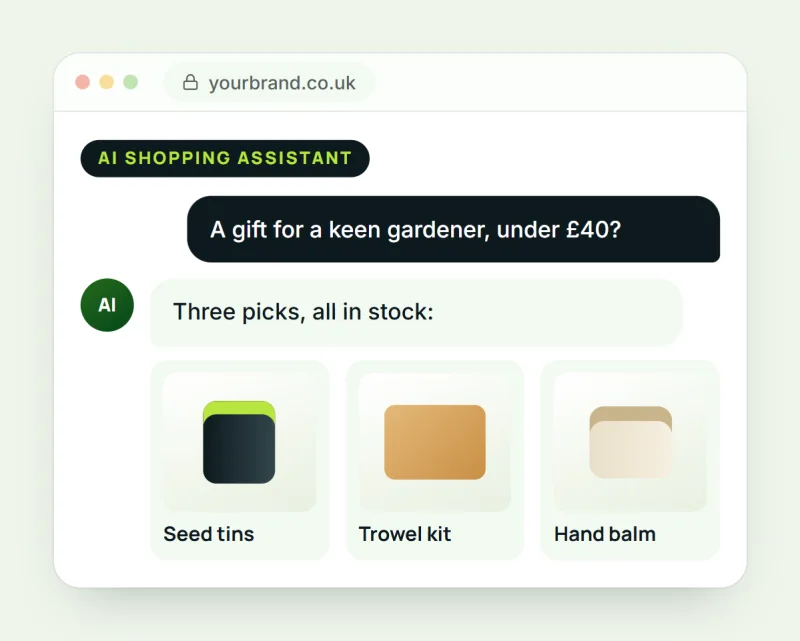
For POS clients, we point AI at practical retail jobs:
Every AI suggestion is a starting point that your team or our specialists check before acting on it, and none of your data is ever used to train AI models. Our Shopify Magic & Sidekick Setup service shows your team how to use these tools safely, productively and with confidence from the first week.
- finding products that sell well in the shop but underperform online, and vice versa
- drafting copy for new arrivals so they reach the website as quickly as they reach the shelf
- summarising weekly trading by location for owners who can't be in every shop
- spotting slow-moving stock that could move to a busier location or be promoted online
App stack
App stack builder for omnichannel retailers
Shops that sell well online and in person tend to cover the same core jobs. We compare your current setup with this benchmark, then recommend only the tools that add real value, confirming each one works with Shopify POS before you commit.
Popular tools by job
Tool names are examples; trademarks belong to their owners.
In-store selling
Fast, reliable checkout at the counter, at events and anywhere on the shop floor.
- Shopify POSTills, staff logins and in-person checkout
- Shopify PaymentsCard and contactless payments
- Retail Barcode LabelsBarcode and price label printing
Loyalty and retention
Rewarding regulars and bringing shop customers back online between visits.
- Smile: Loyalty & RewardsPoints across shop and website
- KlaviyoPost-visit email and SMS
Stock and operations
Accurate stock across every location, with less manual admin for managers.
- Shopify FlowLow-stock and refund alerts
- MatrixifyBulk product and stock updates
Service and returns
Joined-up support, whether a customer emails, calls or walks into the shop.
- GorgiasHelpdesk showing orders from every channel
- Loop ReturnsExchange-first returns for online orders
Finance
Clean books and confident VAT returns when card, cash and online sales all arrive together.
- A2XSettlement summaries for Xero and QuickBooks
- XeroUK-friendly cloud accounting
POS project pricing
POS projects are priced as fixed, one-off store builds, ex VAT. POS hardware is purchased separately, and we help you choose it. For context on typical shopify website cost, our pricing page sets out every package.
Starter
From £1,995 one-off, ex VAT
Best for: Theme-based store with Shopify POS set up for one shop or stall.
What it covers:
- POS app, payments and hardware configured
- Products, barcodes and stock imported
- Staff training session
Growth
From £4,995 one-off, ex VAT
Best for: Custom design store with omnichannel POS across several locations.
What it covers:
- Click and collect and in-store returns
- Staff roles, loyalty and reporting
- Dedicated PM with weekly reporting
Custom
Get a quote
Best for: Multi-store rollouts, Shopify Plus or ERP-linked retail. Get a quote.
What it covers:
- Rollout planned location by location
- ERP, 3PL or accounting integration
- Scope confirmed after discovery
Fixed prices, agreed before work starts. All prices exclude VAT.
Compare every service on our Shopify pricing page.
Your shop data stays private, so our proof is live
- NDA signed before any data is shared
- Least-privilege access with 2FA
- UK GDPR and data processing terms
- Your data never trains AI models
Retail projects involve some of a business's most sensitive information: takings by location, supplier costs, staff details and customer lists. That's why each POS project is covered by an NDA, and why client names, shop figures and photos of client tills never appear in our marketing. You can expect the same discretion from the very first conversation, whether or not you go ahead, and the NDA is signed before you share a single sales report.
In place of a case study, a retail specialist will share their screen on a live Zoom or Google Meet call and walk you through a demonstration store, showing:
- a POS home screen arranged for a busy fashion or homeware counter
- an in-store sale turned into a ship-to-customer order
- an online order returned and exchanged at the till
- a stock transfer between two locations and the end-of-day report
Retail data gets the same protection as every project we run. We sign an NDA before you share anything, agree a non-solicit clause, use least-privilege logins secured with 2FA, follow UK GDPR and delete your data when the contract ends. Full details sit on our security and privacy page. When you're ready, Book a Live Walkthrough and bring your trickiest in-store scenario for us to solve on screen.
FAQs
Shopify POS questions from UK retailers
Straight answers before you get in touch. More in our FAQs.
What is Shopify POS?
Shopify POS is Shopify's point-of-sale app for selling in person. It runs on compatible iPads, iPhones and Android devices paired with a card reader, and records every sale in the same admin as your online store. Products, stock, customers, discounts and gift cards are shared across both channels.
What is the difference between POS Lite and POS Pro?
POS Lite comes with every Shopify plan and handles the core of in-person selling. POS Pro is a paid upgrade per location that adds features established retailers often rely on, such as detailed staff roles and permissions and more advanced in-store tools. We'll tell you honestly whether your shop needs it.
What hardware do we need in a UK shop?
At minimum, a compatible tablet or phone and a Shopify card reader. Most shops add a receipt printer, barcode scanner and cash drawer, and busier counters may need a stand or a second till point. We specify kit that suits your space and trading volumes, so you only buy what you'll actually use.
Can customers return online orders in our shop?
Yes. Shopify POS can process returns and exchanges for online orders, so customers can bring items back in person rather than posting them. That saves them postage, saves you return shipping and gives staff the chance to offer an exchange instead of a refund. We configure the policy, permissions and stock handling.
Will stock stay in sync between the shop and the website?
Yes, provided products and locations are set up properly. Each shop is a location in Shopify, and a sale on either channel updates stock levels straight away. We decide with you which locations fulfil online orders and which stock is available to sell online, so the last item isn't sold twice.
Can we use Shopify POS at markets and pop-ups?
Absolutely. POS suits markets, fairs and pop-up shops, using a phone or tablet with a portable card reader. We set up each event as its own location so you can track takings and stock separately, and help you plan for patchy mobile signal, for example with a dedicated hotspot.
Can we switch from our existing till system?
Usually, yes. We export products and customer records from your current system, clean them and import them into Shopify, along with gift card balances where your plan allows. Older sales history is normally kept for reference rather than migrated. We schedule the switchover for a quieter trading day to limit disruption.
Do you offer support after opening day?
Yes. Our Shopify Support plans give you monthly hours for fixes, improvements and staff questions, backed by an SLA. You can also book refresher training before busy periods such as Christmas, when seasonal staff need to learn the tills quickly and confidently.
Ready to connect your shop and online store?
Tell us about your shop, stall or next pop-up, and we'll propose a fixed-price Shopify POS setup with the right hardware, trained staff, synced stock and a dedicated PM to get you trading smoothly from the very first sale and through your first busy season.
Free consultation
Get a fixed quote for shopify POS Setup
Share your details and a member of our team will follow up to arrange a brief discussion.
Tell us about your project
What happens next
- You send your store and project details.
- We follow up to arrange a short call.
- On the call, we talk through your goals and explain how we would scope the work.
Talk to us directly
Waverley House, 9 Noel St, London W1F 8GQ
Phone +44 7476 560011 WhatsApp +44 7476 560011 (opens in new tab) Email hello@shopifyagencylondon.co.ukPrefer the full contact page? Visit our Contact / Free Consultation page.