
Apps & integrations
Conversion & Search Apps That Turn Shopify Browsers into Buyers
Help shoppers find products faster and spend more. Compare Shopify conversion & search apps, from Rebuy to Boost, and get expert setup. Contact us today.
Prefer to talk? Call +44 7476 560011 or message us on WhatsApp (opens in new tab)

Lift sales with the right conversion & search apps
Traffic is expensive, so every visitor who leaves without buying is budget spent for nothing. Conversion & search apps tackle two moments where many sales are won or lost: finding the right product, and deciding to buy more than one. Smart search and filters get shoppers to relevant products in a couple of taps, while recommendations, cart upgrades and post-purchase offers grow the basket once they are ready to buy. Get both right and the same ad budget brings in more orders, and more valuable ones, without a single extra click.
This category is part of our Shopify Apps & Integrations hub, alongside marketing, reviews and operations tools. Here we focus on the apps that shape the on-site journey, from the first search query to the thank-you page, and on how they work together rather than against each other.
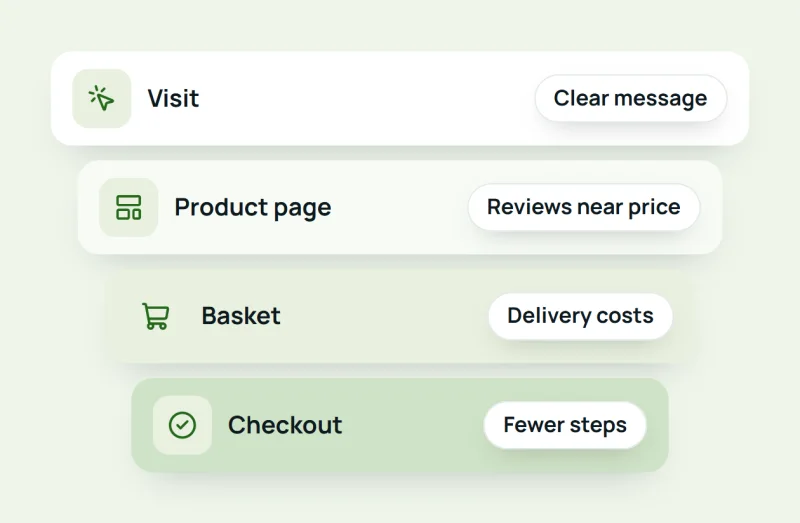
What conversion & search apps cover
- Search and filtering: instant search, typo tolerance, synonyms and filters built from your product data.
- Merchandising: rules that pin, boost or bury products in collections and search results.
- Recommendations and upsells: related products, frequently bought together suggestions and cart add-ons.
- Bundles and offers: fixed bundles, multipacks, volume discounts and post-purchase offers.
- Testing: A/B tests that show which changes genuinely move conversion and order value.
Why more apps rarely means more sales
The common mistake is stacking tools. A search app, two upsell apps and a pop-up builder can all inject scripts, compete for space on mobile and slow product pages down, quietly undoing the gains each one promised. A shopper browsing on a phone during the morning commute will not wait for a sluggish collection page or scroll past three competing carousels to reach the add-to-cart button.
We start with your data: search terms that return nothing, collections with high exit rates and products that are often bought together. Then we recommend the smallest set of apps that fixes real friction, set them up on a duplicate theme, measure the impact and hand over with training, so your team can keep improving results long after launch.
Conversion & search tools to shortlist
These are established apps with Shopify integrations, each solving a different part of the on-site journey. Most stores need two or three of them, not all six, and the right mix depends on catalogue size and traffic.
Rebuy
A personalisation platform for AI-driven recommendations, upsells and cross-sells across product pages, the cart, checkout and post-purchase. Its Smart Cart adds free-delivery progress bars and add-ons. It suits growing brands with enough range and order volume for recommendations to learn from, especially when linked with Klaviyo and subscription apps.
Boost AI Search & Filter
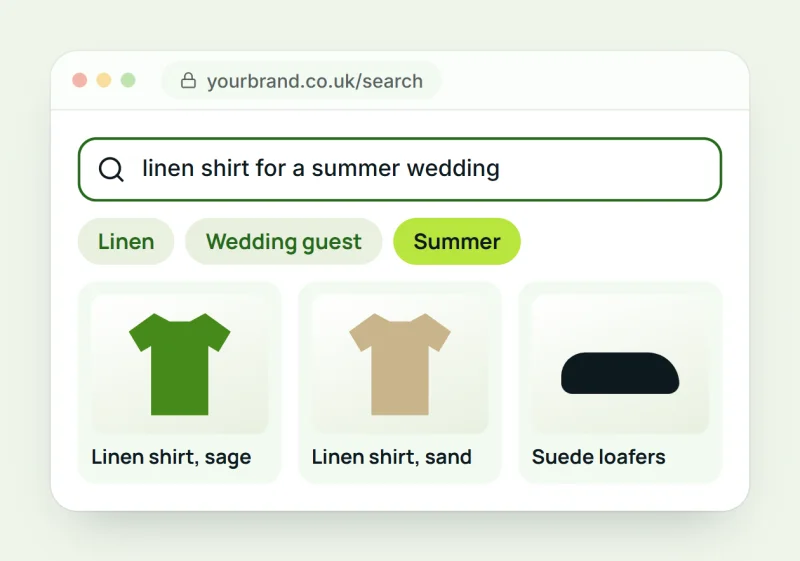
A search and filtering app that replaces Shopify's standard search with instant results, typo tolerance, synonyms and filters built from tags, options and metafields. Merchandising rules let your team promote products for campaigns. It is a strong fit for large catalogues in fashion, homeware and parts.
Shopify Search & Discovery
Shopify's free app for customising filters, synonyms, product boosts and basic recommendations on Online Store 2.0 themes. It is the sensible baseline for smaller catalogues and well worth configuring properly before you pay for a specialist search app, because a tuned native setup can go a surprisingly long way.
Klevu
An AI-powered search and discovery platform offering natural language search, merchandising and product recommendations. It suits larger, more complex catalogues that need search tuned closely to their range and customers, and it offers APIs for brands building headless storefronts or running several stores.
Shopify Bundles
Shopify's free app for creating fixed bundles and multipacks managed in your admin, with inventory tracked per component. It suits gift sets, starter kits and multipacks, and is a low-cost way to test whether bundles lift average order value before investing in a more advanced bundling app.
Intelligems
A testing app for Shopify that lets you A/B test prices, shipping thresholds, offers and content. Instead of guessing whether a new free-delivery threshold or price change will pay, you test it on real traffic. It suits brands with enough sessions for reliable results and a team ready to act on them.
How to choose conversion & search apps
Work through these six checks before you install anything, so every app you add earns its place on the page and in your budget.

Find where shoppers drop off
Use GA4 and Shopify reports to see whether visitors struggle to find products or stall at the cart. High search exits and zero-result searches point to a search problem; healthy product views but small baskets point to recommendations and bundles. Fix the biggest leak first, then move on to the next.
Size up your catalogue
A store with a few dozen products can rely on Shopify's own search and tidy navigation. Thousands of SKUs with sizes, colours and technical attributes need richer filters and merchandising. Match the tool to the complexity of your range, not to the ambitions in a sales deck.
Audit your product data
Search, filters and recommendations are only as good as the tags, product types, options and metafields underneath. Inconsistent colour names, missing sizes or patchy descriptions will hamper any app, so budget for a data clean-up before or during setup rather than after launch, when problems are harder to untangle.
Check speed and mobile impact
Install shortlisted apps on a duplicate theme and measure Core Web Vitals before and after. Check widgets on real phones, where screen space is limited. An app that adds revenue on paper but slows every page may cost you more than it earns, particularly on paid traffic landing straight on product pages.
Model cost against margin
Many conversion apps charge by order volume, revenue or catalogue size. Project your costs for the coming year, including peak trading, and compare them with the extra gross margin you can realistically expect. Judge recommendations on profit, not on attributed revenue alone.
Plan testing and ownership
Decide who will review search terms, tune merchandising rules and run tests each month. Agree how you will measure success, ideally with a control period or split test, so you can separate genuine gains from seasonal swings such as Black Friday or the post-Christmas dip.
Compare options and plan your next step
Shopify website cost
See what app setup, store builds and monthly support cost with us, all at fixed prices quoted ex VAT.
Shopify CRO / UX Audit
For when you need user research, structured testing and design changes that go beyond what apps alone can deliver.
Shopify Speed Optimisation Guide
How to keep pages fast and Core Web Vitals healthy as you add search, upsell and review apps to your store.
Reviews & UGC
Pair better product discovery with honest social proof that helps hesitant shoppers commit to buying.
Build a conversion stack that pulls its weight
Share the search, upsell and bundle apps you run today, or the gaps you have spotted, and we will recommend the leanest set of tools to help shoppers find products faster and spend more per order. Your dedicated project manager agrees a fixed price, our specialists configure and QA everything on a duplicate theme, and you can book a live walkthrough on Zoom or Google Meet before launch. Weekly reporting and SLA support keep search, upsells and results on track long after go-live.
Free consultation
Get help with your app stack
Share your details and a member of our team will follow up to arrange a brief discussion.
Tell us about your project
What happens next
- You send your store and project details.
- We follow up to arrange a short call.
- On the call, we talk through your goals and explain how we would scope the work.
Talk to us directly
Waverley House, 9 Noel St, London W1F 8GQ
Phone +44 7476 560011 WhatsApp +44 7476 560011 (opens in new tab) Email hello@shopifyagencylondon.co.ukPrefer the full contact page? Visit our Contact / Free Consultation page.