
A team gathered around a laptop, reviewing work together

Shopify Growth

Shopify Speed Optimization: A Practical Guide for UK Stores

A practical Shopify speed optimization guide for UK stores: images, apps, scripts, fonts and Core Web Vitals. Speed up your store or book a speed audit.

In this article (5 sections)
  1. How to measure Shopify speed properly
  2. Where Shopify stores lose speed
  3. Shopify speed optimization: a sensible order of work
  4. Speed, search and AI discovery
  5. A UK example to learn from

Key takeaways

  • Shopify speed optimization starts with real shopper data, not a single lab score. The Core Web Vitals report in Google Search Console and the web performance reports in your Shopify admin show how actual visitors experience your store across devices, networks and page templates.
  • Images are usually the biggest quick win. Upload sensibly sized files, let your theme serve responsive versions from Shopify's CDN and lazy-load anything below the fold, but never lazy-load the hero or main product image, which is often the element Google times for loading speed.
  • Every app and third-party script carries a cost. Review your app list, remove what you no longer use, clear code left behind by uninstalled apps and question each tracking pixel, chat widget and pop-up that loads on every page whether or not shoppers use it.
  • Test the templates that make money. Product, collection and basket pages carry most of your revenue, so measure them on a mid-range Android phone over 4G, the way a commuter on a crowded train browses, rather than on a fast office laptop.
  • Your theme sets the ceiling. A modern Online Store 2.0 theme gives you a quick foundation, while heavy sliders, autoplay video and sprawling mega menus slow every visit. Sometimes the fastest fix is removing a feature altogether rather than tuning it.
  • Speed is ongoing work, not a one-off project. New apps, campaign banners and seasonal pop-ups creep in, especially before Black Friday, so re-check performance monthly and make a quick speed test part of the sign-off for every storefront change.

A slow Shopify store costs you twice: impatient shoppers leave before the page appears, and the ones who stay find browsing a chore. The good news is that most speed problems on Shopify come from a handful of predictable causes, and many can be fixed without a rebuild. This guide explains how to measure your store properly, where the weight usually hides and which fixes to tackle first. If you would rather hand the work to specialists, our shopify speed optimization service covers audits, fixes and monitoring at a fixed price.

How to measure Shopify speed properly

Start with field data, which records what real visitors experience, before you look at lab scores. Three sources matter:

  • Shopify's web performance reports in your admin, which track Core Web Vitals from your own shoppers over time.
  • Google Search Console, whose Core Web Vitals report groups URLs that share the same problem.
  • PageSpeed Insights, which pairs field data, where Google has enough, with a lab test that suggests specific fixes.

The three Core Web Vitals are Largest Contentful Paint (how quickly the main content appears), Interaction to Next Paint (how quickly the page responds to a tap) and Cumulative Layout Shift (how much the layout jumps while loading). Lab scores swing from run to run, so treat one PageSpeed number as a clue, not a verdict.

Where Shopify stores lose speed
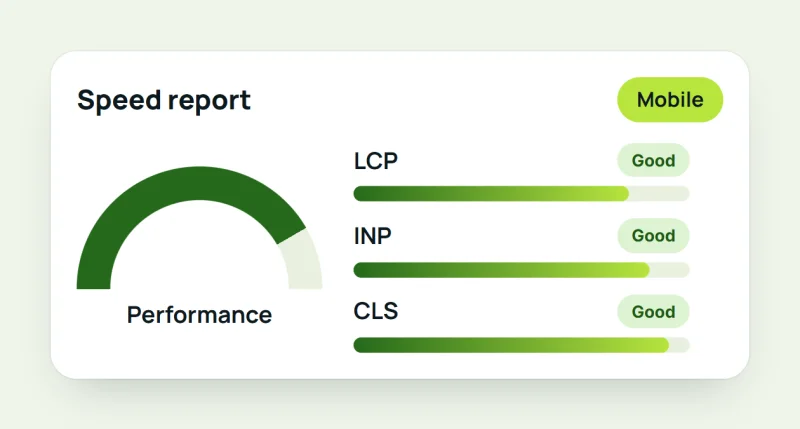
Illustration of a speed report with a performance gauge and Core Web Vitals marked as good

Images and video

Oversized hero banners, uncompressed lifestyle photography and autoplay video are the usual suspects. Check that your theme requests images at the size they display, using responsive markup so a phone never downloads a desktop-width file. Lazy-load images further down the page, but load the hero or main product image straight away. Where you can, swap autoplay background video for a still image with a play button.

Apps and third-party scripts

Each app can add JavaScript, stylesheets and network requests to every page. Some older apps leave snippets in theme code after they are uninstalled, so a store can carry the weight of tools it stopped paying for long ago. Remove duplicates, switch off app embeds you do not need, and add tracking through Shopify's customer events rather than pasting scripts into the theme.

Theme code and fonts

Heavy sliders, large mega menus, several font families and Liquid loops that render hundreds of products all slow the first view. Keep custom fonts to one or two families with only the weights you use, paginate long collections and remove sections nobody clicks. Check, too, that announcement bars, pop-ups and review widgets reserve their space, so content does not jump as they appear.

Woman reviewing documents with a tablet and laptop in an office

Shopify speed optimization: a sensible order of work

  1. Benchmark the homepage, a top collection, a best-selling product page and the basket on mobile.
  2. Remove unused apps, leftover code and scripts that do not earn their place.
  3. Fix images on the busiest templates first.
  4. Tidy the theme: fonts, sliders, menus and unused sections.
  5. Re-measure with field data over the following weeks, because Core Web Vitals reports update gradually.

Speed, search and AI discovery

Fast, stable pages help search engines as well as shoppers. Core Web Vitals feed into Google's page experience signals, and quick, cleanly built product pages are easier for crawlers to fetch and understand. The same groundwork supports newer discovery channels; our page on AI Search Optimisation for Shopify explains how structured product data helps AI assistants recommend your range.

A UK example to learn from

Picture a London candle brand preparing for Christmas. Marketing adds a countdown banner, a gift-finder quiz and a new email pop-up, each through a separate app. On their own they seem harmless; together they delay the main product image and make the Add to basket button lag on mobile. A pre-peak speed check in October, with every new tool tested on a real phone before launch, catches the slowdown long before December trading begins.

At Shopify Agency London, every speed change is benchmarked before and after, so you can see exactly which fix moved which metric, and nothing reaches your live store until a second specialist has reviewed it.

Speed tips from our audit checklist

  • Test the way customers browse

    Run your checks on a mid-range Android phone over mobile data, not on office Wi-Fi with a new laptop. Many UK shoppers browse on the sofa, in a queue or on the train home, and that is exactly where slow pages hurt. If no spare phone is to hand, Chrome's developer tools can throttle the connection for you. Record the results so you can compare like with like next month.

  • Keep an app register

    List every installed app with its owner, monthly cost, purpose and the pages it loads on, then review the list each quarter. If nobody can explain why an app exists, disable it on a duplicate theme first, check nothing breaks, then uninstall it and clear out any code it left behind.

  • Export web-ready photography

    Ask your photographer or studio to supply images exported for the web at a sensible maximum width, not camera originals. Shopify resizes images, but starting from lean files keeps uploads quick, keeps the admin tidy and avoids surprises when a new theme section requests a larger size than expected. Agree the export settings once and add them to your brand guidelines.

  • Make speed part of sign-off

    Add a quick performance check to the launch checklist for every new section, campaign banner or app. Compare a key product page before and after each change. It only takes a few minutes, and it stops the gradual slowdown that nobody notices until conversion slips during a busy trading season.

Look ahead: how AI is reshaping discoveryHow AI Is Changing Shopify Ecommerce

FAQs

Shopify speed FAQs

Straight answers before you get in touch. More in our FAQs.

Why does my PageSpeed score change every time I test?

The lab test inside PageSpeed Insights runs a single simulated visit, so server response, network conditions and third-party scripts vary between runs. Scores moving by several points are normal. Look at the field data section instead, which summarises real visits over recent weeks, and compare the same page type on the same device each time rather than chasing one perfect number that tells you little.

Which pages should I speed up first?

Prioritise the templates that carry revenue: your best-selling product pages, the collections that receive the most traffic and the basket. The homepage matters too, but many shoppers arrive on product or collection pages from Google, ads and email. Fixing a shared template improves every page that uses it, which makes those changes especially good value for money and quick to roll out.

Will switching to a new theme make my store faster?

It can, particularly if your current theme is several years old or heavily customised. But a fast new theme quickly slows down again if the same apps, oversized images and scripts move across with it. Audit what you carry over, rebuild only the features shoppers actually use, and measure the new theme before publishing it to customers, not afterwards.

Do speed booster apps work?

Treat them with caution. Some apps help with specific jobs, such as image compression, but others add their own scripts or change how pages load in ways that can break features or simply shift a lab score without helping real shoppers. Fixing the underlying causes, such as unused apps and heavy media, is usually more reliable, safer and longer lasting.

How many apps is too many?

There is no magic number. A store with many lightweight back-office apps can be faster than one with a few heavy storefront apps. What matters is what each app loads on the pages shoppers see. Check which apps inject scripts or widgets on product and collection pages, and question any whose value you cannot clearly explain to your team or your customers.

Does upgrading to Shopify Plus make my store faster?

Not on its own. Shopify Plus adds features such as deeper checkout customisation, automation and wholesale tools, but storefront speed still depends mainly on your theme, images, apps and scripts. A slow theme stays slow after an upgrade. If you are considering Plus for other reasons, use the move as a chance to audit performance at the same time and start the new chapter lean.

Does a homepage video slow my store down?

Autoplay video, especially full-width background video, is one of the heaviest things you can put above the fold, and it often delays the moment shoppers see your main content. If video matters to your brand, show a lightweight still image with a play button, host the file sensibly and test the impact on mobile before and after it goes live.

What does it cost to have SAL fix speed issues?

Many speed fixes fit within a Shopify Support plan, from £295 per month for five hours or £595 per month for twelve hours, ex VAT. Larger audits or theme rebuilds are scoped after a short call and quoted at a fixed price, so you know the full cost and the order of work before anything changes on your live store.

Want a faster store before your next peak?

Send us your store URL and a speed specialist will benchmark your key templates on real-user data, pinpoint the apps, images and theme code holding shoppers up, and quote the fixes at a fixed price, with every change tested on a duplicate theme, checked through 4-eyes QA and reported weekly by your dedicated project manager, so you always know what changed and what it improved.

Get a quote Call WhatsApp (opens in new tab)