
Hands holding a phone with a UX design over paper wireframes

Shopify Growth

Shopify SEO: The 30-Point Checklist for UK Stores

Work through 30 Shopify SEO checks covering technical set-up, collections, product pages, content and links. Built for UK stores. Fix the gaps or ask us.

In this article (6 sections)
  1. Technical Shopify SEO foundations (checks 1 to 8)
  2. Site structure and navigation (checks 9 to 14)
  3. Product and collection page checks (15 to 22)
  4. Content that wins organic search (checks 23 to 27)
  5. Authority and measurement (checks 28 to 30)
  6. How to prioritise your Shopify SEO checklist

Key takeaways

  • Shopify handles many SEO basics for you, including an automatic XML sitemap, canonical tags, a sensible robots.txt file and secure, globally distributed hosting. That head start is real, but it will not make a store rank on its own. Rankings come from what you build on top of the platform: clear structure, original content, strong internal links and authority earned steadily over time.
  • Collections are usually your most valuable organic pages. They match the broad, high-intent searches UK shoppers type, such as women's waterproof jackets or vegan skincare gifts. Give each priority collection a unique introduction, a clear heading, useful filters and links to related ranges, instead of leaving it as a bare grid of product images with nothing for search engines to read.
  • Fix duplicate and thin content early. Collection-aware product URLs, near-identical variant pages, copied supplier descriptions and empty tag pages all dilute your signals. Point internal links at canonical product URLs, write original copy for priority products and keep low-value pages out of the index, so crawlers spend their time on the pages that actually earn you revenue.
  • Speed and mobile experience are part of SEO, not a separate job. Google indexes the mobile version of your pages and its ranking systems take page experience into account, so oversized images, heavy apps and render-blocking scripts cost you visibility as well as sales. Plan performance fixes and SEO work as one programme with shared priorities and shared reporting.
  • Structured data helps search engines and AI assistants understand your products. Product, offer, review and breadcrumb markup can earn richer search results and gives AI shopping tools cleaner facts to work with. Check what your theme and apps already output, remove duplicate or conflicting markup and validate your key templates with Google's Rich Results Test after every change.
  • Run this checklist every quarter, not once. Each new app, theme update, product launch or seasonal campaign can introduce broken links, missing metadata or indexing problems. A short, regular review in Google Search Console catches issues while they are still small, protects revenue during peak trading periods and keeps your organic growth compounding year after year.

Paid social gets more expensive every year, but a page that ranks keeps bringing in shoppers long after the work is done. That is why Shopify SEO deserves a firm place in every UK brand's growth plan. Shopify gives you a solid technical base, yet many stores still leak visibility through duplicate URLs, thin collections and copied product descriptions. As a shopify seo agency, these are the 30 checks we run first on any store. Work through them in order: technical foundations, structure, product and collection pages, content, then authority and measurement.

Technical Shopify SEO foundations (checks 1 to 8)

  • 1. Verify Google Search Console. Add your primary domain, submit /sitemap.xml and repeat the process in Bing Webmaster Tools.
  • 2. Set one primary domain. Make sure the www, non-www and myshopify.com versions all redirect to it.
  • 3. Remove leftover launch settings. A storefront password blocks indexing entirely, so check it is switched off and that no stray noindex tags remain in the theme.
  • 4. Review page indexing monthly. Search Console's page indexing report shows which URLs Google has excluded and why.
  • 5. Leave robots.txt alone unless you need it. Shopify's default file is sensible; edit robots.txt.liquid only with a clear reason and a plan to test the result.
  • 6. Fix broken links and 404s. Use Shopify's URL redirects to send old product and collection addresses to their closest live match.
  • 7. Avoid redirect chains. Update menus and internal links so they point at final URLs rather than relying on redirects.
  • 8. Check Core Web Vitals. Use PageSpeed Insights and Search Console to find slow templates, then compress images and remove unused apps.
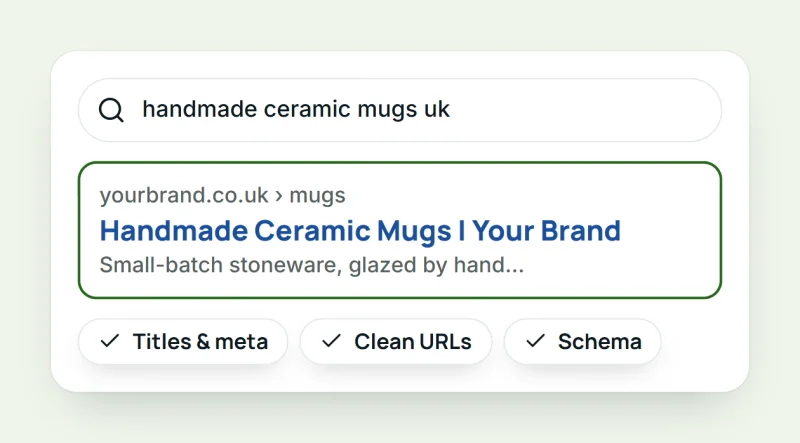
Illustration of a Shopify store listing in search results with an SEO checklist

Site structure and navigation (checks 9 to 14)

  • 9. Build collections around search demand. Group products the way customers search, such as men's running shoes, not by supplier or internal codes.
  • 10. Keep navigation shallow. Priority collections should sit within one or two clicks of the homepage.
  • 11. Add breadcrumbs. They help shoppers move back up the hierarchy and show search engines how pages relate.
  • 12. Link to canonical product URLs. Many themes link to collection-aware paths; point product links at the clean /products/ URL instead.
  • 13. Keep URL handles short and descriptive. If you change a handle, tick the option to create a redirect from the old URL.
  • 14. Control tag and filter pages. Stop thin filtered combinations being indexed so crawlers focus on real collections.

Product and collection page checks (15 to 22)

  • 15. Write unique title tags. Lead with the main keyword, keep them concise and add your brand where space allows.
  • 16. Write meta descriptions that earn the click. Mention a clear benefit, your delivery or returns promise and a reason to choose you.
  • 17. Use one H1 per page. Check your theme does not wrap the logo or a banner headline in a second H1.
  • 18. Add collection introductions. A short, original paragraph near the grid explains the range and targets the search term.
  • 19. Replace supplier descriptions. Original copy on materials, sizing, care and delivery gives Google a reason to rank your page over every other site using the same text.
  • 20. Write useful image alt text. Describe the product, colour and angle in plain language for accessibility and image search.
  • 21. Handle discontinued products carefully. Keep pages with links or traffic live with alternatives, or redirect them to the closest product or collection.
  • 22. Validate structured data. Check Product, Offer, Review and Breadcrumb markup in Google's Rich Results Test and remove duplicates added by apps.

Laptop showing a dark analytics dashboard with charts

Content that wins organic search (checks 23 to 27)

  • 23. Map one primary keyword per page. Stop collections, blog posts and landing pages competing for the same term.
  • 24. Use the blog for buying intent. Guides such as how to choose a winter coat should link straight to the relevant collections.
  • 25. Add FAQs from real questions. Pull them from customer service emails, reviews and live chat logs.
  • 26. Reuse seasonal URLs. Update one Black Friday or Christmas gifts page each year so it keeps the authority it has built.
  • 27. Write for AI search too. Clear facts, specifications and policies help AI assistants describe your products accurately; our guide to AI for Shopify Stores explains how this is changing product discovery.

Authority and measurement (checks 28 to 30)

  • 28. Earn relevant UK links. Stockists, suppliers, local press, gift guides and trade associations are realistic sources for most brands.
  • 29. Connect Google Merchant Center. Shopify's Google & YouTube app syncs your catalogue for free product listings and keeps feed data consistent with your pages.
  • 30. Track organic revenue. Review Search Console clicks and GA4 organic revenue each month by page type, not just total traffic.

How to prioritise your Shopify SEO checklist

You do not need to fix all 30 points at once. Start with anything blocking indexing, then improve the collections and products that already earn impressions, because those pages tend to move fastest. Content and links compound over months, so start them early and keep going.

At Shopify Agency London, SEO projects follow our 10-step delivery process: an NDA before any data is shared, a fixed-price proposal, specialist delivery in sprints, QA with 4-eyes review, and weekly updates plus monthly KPI reports, so you always see what changed and why.


Tips to get more from this checklist

  • Start with your money pages

    Export the pages earning the most organic clicks and revenue from Search Console and GA4, then run this checklist against those first. Improving a collection that already sits on page two for a valuable search is usually quicker than ranking a brand-new page from scratch. Keep a simple spreadsheet of each page, its target keyword, current position and what you changed, so you can see which fixes moved the needle and repeat them across similar templates.

  • Never change a URL without a redirect

    Renaming a product, merging collections or tidying handles can quietly wipe out rankings the page took years to earn. Every time a URL changes, create a redirect from the old address to the new one and update internal links in menus, blog posts and emails. Before a large restructure, export your current URLs so you have a full record to map from, and check Search Console a week later for any new 404 errors.

  • Audit what your apps inject

    Reviews, SEO, translation and page-builder apps often add their own code, structured data and sometimes duplicate meta tags. After installing or removing any app, view the source of a product page and a collection, run both through the Rich Results Test and confirm nothing is duplicated or missing. Uninstalled apps can leave snippets behind in theme files, so ask a developer to clear them out properly rather than leaving dead code in place.

  • Make Search Console your early warning

    Turn on email alerts and check Search Console after every theme release, migration or big catalogue change. A sudden rise in excluded pages, a drop in impressions for a key collection or a spike in 404 errors usually points to a specific change you can reverse quickly. Spotting problems within days rather than months protects your busiest trading periods, from Black Friday to the Christmas rush and the January sales.

Get found in AI search as well as GoogleAI Search Optimisation for Shopify

FAQs

Shopify SEO checklist FAQs

Straight answers before you get in touch. More in our FAQs.

Can I change Shopify's /products/ and /collections/ URL structure?

No. Shopify fixes the prefixes for products, collections, pages and blog posts, so a product always lives under /products/. That is not a ranking problem, because search engines care far more about content, relevance and authority than folder names. Focus on short, descriptive handles after the prefix, and if a migration changes your old URLs, map every one to its new address with a redirect.

Why does my product appear under several different URLs?

When a product is opened from a collection, many themes use a collection-aware path such as /collections/coats/products/wool-coat. Shopify adds a canonical tag pointing to the main /products/ URL, so this is rarely a disaster, but it still sends mixed signals and wastes crawl effort. Ask a developer to update your theme so product links point straight to the canonical URL.

Should filtered collection pages be indexed?

Usually not. Filter and sort combinations create many near-identical URLs that add little value in search. Shopify's default robots.txt already blocks some of these, and you can extend it through robots.txt.liquid if needed. The exception is a filter with genuine search demand, such as a popular colour or material. That deserves its own proper collection, with unique copy and a clean URL.

Do I need an SEO app for my Shopify store?

Not always. Shopify already handles sitemaps, canonical tags and editable meta fields. Apps can help with bulk metadata, image compression, broken link monitoring or structured data, but each one adds code and a monthly cost. Check what your theme already does first, install only apps that solve a specific gap, and remove any that duplicate features or slow down your pages.

How should I handle products that are out of stock?

If a product is coming back, keep the page live, show the expected restock timing if you know it and offer a back-in-stock alert, so search engines keep the page indexed and shoppers can still register interest. If it is gone for good, redirect it to the closest alternative or its parent collection, especially when the page has backlinks or brings in steady organic traffic.

Does Shopify create an XML sitemap automatically?

Yes. Every Shopify store generates a sitemap at /sitemap.xml that links to separate sitemaps for products, collections, pages and blog posts, and it updates itself as you add or remove content. Submit it in Google Search Console and Bing Webmaster Tools, then check the coverage reports regularly so you know which of those URLs search engines have actually chosen to index.

Is a blog worth it for a product-led Shopify brand?

It can be, when the content matches what buyers search before they purchase. A UK coffee brand might publish brewing guides, grinder comparisons and gift ideas that link straight to the right collections. Avoid generic news posts that attract no relevant searches. A handful of genuinely useful guides, refreshed regularly, will do more for organic revenue than a steady stream of thin articles.

How do I add product schema to a Shopify store?

Many modern themes already output Product structured data, and reviews apps often add rating markup. Start by testing a product page in Google's Rich Results Test to see what already exists. Fill gaps such as brand, GTIN or availability through theme code or metafields, and remove duplicate blocks added by several apps, because conflicting markup can stop rich results appearing for your products.

Should we sort out site speed or content first?

Fix anything that stops pages being crawled or indexed first, then tackle severe speed problems on your key templates, because slow pages undermine every other improvement. After that, content usually brings the bigger organic gains. In practice the two run side by side, with a developer handling performance while a writer improves collections, product copy and buying guides at the same time.

How is this checklist different from a full Shopify SEO audit?

This checklist covers the checks that matter on almost every Shopify store. A full audit goes deeper, with a complete crawl, keyword and competitor research, backlink analysis, a crawl-budget review for large catalogues and a prioritised roadmap with effort estimates. If you have worked through these 30 points and growth has stalled, an audit shows exactly where to focus your budget next.

Want this Shopify SEO checklist done for you?

Share your store, your priority collections and the searches you most want to win, and our Shopify SEO specialists will run every one of these 30 checks, fix the technical issues, sharpen your collections and product pages and build a content plan around real UK search demand. You get a fixed price agreed up front, a dedicated project manager, QA with 4-eyes review on every change and weekly reports that show exactly what moved, so organic growth becomes a channel you can plan around rather than hope for.

Get a quote Call WhatsApp (opens in new tab)