
Shoppers from Dublin, Amsterdam and New York are already browsing your store, and every so often an overseas order lands priced in pounds, with a puzzled customer waiting for a parcel and a customs bill. That is the moment to treat shopify international selling as a growth channel rather than a happy accident. Shopify Markets gives UK brands the tools to do it from a single store. This guide covers how it works, what Brexit changed for EU deliveries and how to launch your first market without hurting margin or conversion.
What is Shopify Markets?
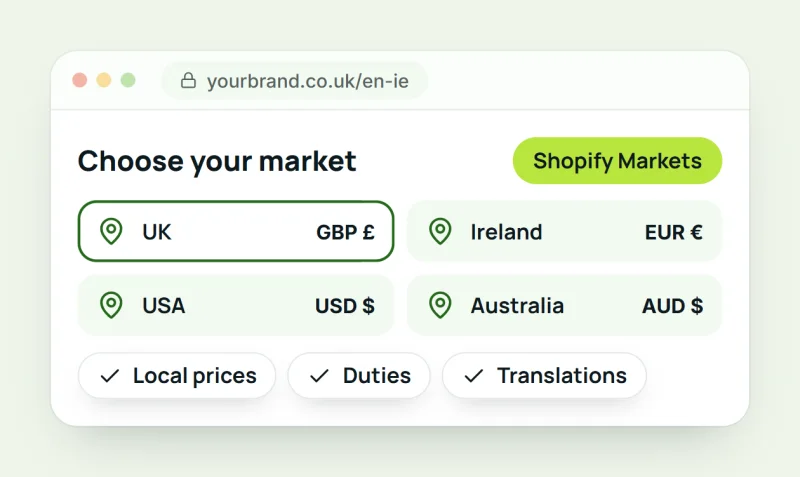
Shopify Markets is the area of your admin where you group countries into markets and decide how each one is served. For every market you can choose the currency, language, domain or subfolder, pricing approach and product range, while orders, stock and customer records stay in one place. Because it is part of the platform, most modern themes and apps can work with it, and you avoid the overhead of running separate stores.
How to set up Shopify international selling, step by step
1. Choose markets your data supports
Look at overseas sessions, abandoned checkouts and customer enquiries before picking a country. A Leeds homeware brand might find Ireland is already its biggest overseas audience, while a London menswear label might see strong interest from the US. Launch where demand, delivery and returns all stack up.
2. Set currencies and pricing
Shoppers expect to pay in their own currency. Shopify can convert prices automatically, or you can set rounded prices per market so they look deliberate rather than converted. Build duties, shipping and currency costs into each market's prices so growth does not quietly erode your margin.
3. Translate and localise
Shopify's Translate & Adapt app handles translations and market-specific wording, while apps such as Weglot suit larger catalogues. Machine translation is a fast first draft, but ask a native speaker to review product pages, checkout messages and policies. Our guide to AI for Shopify Stores shows where AI drafting saves time and where human review still matters.
4. Pick a domain structure
Subfolders such as /en-ie/ keep all authority on your main domain and are the simplest to run. Country domains signal a local presence but need their own SEO investment. Whichever you choose, make sure hreflang tags are in place so search engines show each shopper the right version.
5. Get duties, tax and shipping right
Since Brexit, parcels to EU consumers are exports, and customers can face import VAT, duties and courier handling fees on delivery. Collecting these at checkout, known as delivered duty paid, removes that unwelcome surprise. Add HS codes and country of origin to your products so customs paperwork is accurate, ask whether the EU's Import One-Stop Shop scheme suits your order values, and confirm VAT treatment with your accountant.

6. Offer local payments and honest delivery promises
Cards and digital wallets cover a lot, but check which local methods, such as iDEAL in the Netherlands, your payment provider supports. Show realistic delivery times for each market on product pages and at checkout.
Mistakes that slow international growth
- Forcing IP-based redirects that trap shoppers and search crawlers in one version of the store.
- Leaving UK-only promises, such as next-day delivery, visible to overseas visitors.
- Translating product pages but forgetting emails, policies and the returns portal.
- Opening many markets at once and supporting none of them properly.
Measuring your Shopify international performance
Review conversion rate, average order value, return rate and contribution margin for each market every month. Expand only when your first market is profitable and running smoothly, and use what it taught you to make the next launch faster.
At Shopify Agency London, every international launch is scoped at a fixed price, tested through QA with 4-eyes review and reported weekly by a dedicated project manager, so new markets go live with nothing left to chance.