
Ask ten Shopify merchants what an AI agent is and you will hear ten different answers. Some picture a chatbot; others imagine a store that runs itself. The useful reality sits in between. AI agents for Shopify are tools that take a sequence of actions towards a goal, such as resolving a ‘where is my order?’ query or spotting stock that needs reordering, using the systems you already run. This guide covers practical use cases for UK stores, how to choose your first agent and how to keep agents safe and accountable.
What makes something an AI agent?
A writing assistant produces text when asked. An agent goes further: it interprets a goal, decides which steps to take, uses connected tools to gather information or make changes, and reports back. In a Shopify business those tools might be your helpdesk, order data, Shopify Flow, your email platform or an inventory system. The key design question is always how much the agent may do on its own and where a person must approve.
Practical use cases for AI agents on Shopify
Customer service
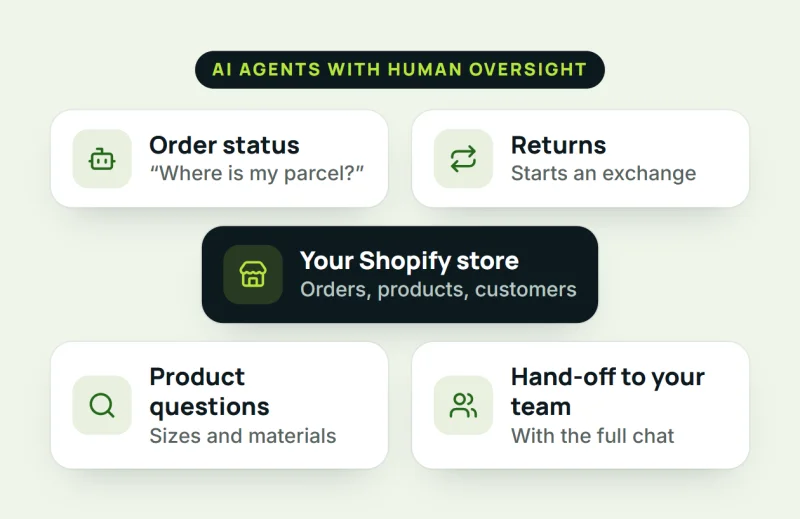
Order tracking, delivery dates and returns questions make up much of a typical support inbox, especially after a Black Friday rush. An agent connected to your helpdesk and order data can answer many of these instantly, around the clock, and pass anything complex or emotional to your team with the context already gathered. Helpdesks such as Gorgias and Zendesk offer AI features built for exactly this work.
Operations and inventory
Agents can watch stock levels, flag fast sellers before a bank holiday weekend, draft purchase orders for approval and tag orders that need special handling, such as gift messages or a courier upgrade. Paired with Shopify Flow, they turn signals into tidy, auditable actions.
Merchandising and content
An agent can review new products for missing attributes, draft descriptions and alt text for an editor to approve, and suggest collection updates based on what is selling. The catalogue stays complete without anyone combing through it by hand each week.
Reporting and insight
Instead of rebuilding the same spreadsheet every Monday, an agent can summarise sales, returns and campaign performance in plain English and highlight anything unusual for a person to investigate. Shopify Sidekick already handles many quick questions about store data inside the admin.
Returns and exchanges
When a customer asks to swap a size or send something back, an agent can check the order date against your returns window, confirm whether the item is eligible and start the process in your returns app. Exceptions, such as worn goods or late requests, go to a person to decide.
Order risk review
Agents can gather the signals on orders Shopify flags as higher risk and prepare a recommendation, while a member of your team makes the final call to fulfil, hold or cancel.

How to choose your first AI agent
- List repetitive tasks and estimate the hours each one takes per week.
- Pick one that is high volume, low risk and easy to check.
- Map the steps, the data needed and the actions that require approval.
- Trial the agent on a limited scope, such as one ticket category or one product range.
- Review results with your team before widening its remit or adding a second agent.
Guardrails every UK store needs
- Least-privilege access: give the agent only the permissions its task needs, protected by 2FA.
- Human approval: keep refunds, price changes and customer-facing promises under sign-off.
- Clear hand-off: let customers reach a person easily, and say when they are talking to AI.
- Data protection: confirm how each vendor processes and stores customer data under UK GDPR.
- Audit trail: keep a record of what the agent did, when and why.
Not sure which use case should come first? Our AI Consulting for Shopify Brands service ranks the options against your goals, data and team capacity, then shows what a sensible first build looks like.