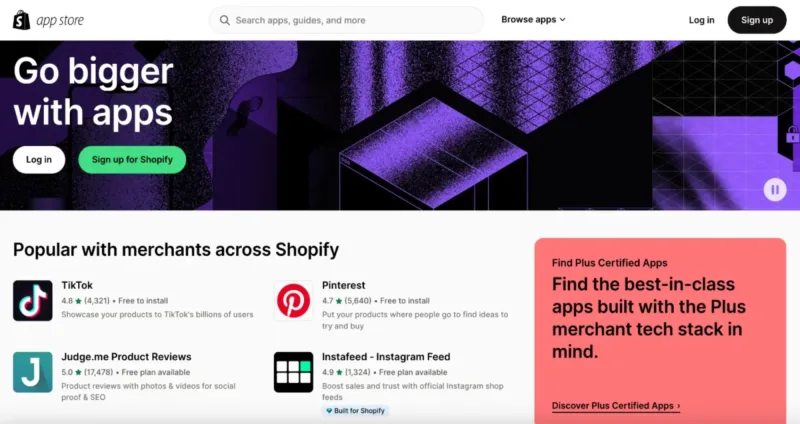
Screenshot of an app marketplace page listing popular apps for merchants

Shopify Development

Shopify App Development: How a Custom App Is Built and Priced

Planning Shopify app development? See how a custom app is scoped, built and priced, what really drives the cost, and how to avoid surprises. Talk to SAL.

In this article (6 sections)
  1. Custom app or public app?
  2. What a custom Shopify app can do
  3. The Shopify app development process
  4. What drives the cost of a custom app
  5. AI features in custom apps
  6. Questions to ask before you commission an app

Key takeaways

  • Shopify app development is worth it when no off-the-shelf app can handle a process that matters to revenue or operations, such as a bespoke trade pricing rule, a warehouse hand-off or a product builder. Before commissioning anything, check the App Store, Shopify Flow and native features, because the cheapest code is the code you never have to write.
  • Most brands need a custom app, not a public one. A custom app is built for a single store or organisation, installed privately and never listed in the Shopify App Store, so it skips the public review process and can be shaped entirely around your workflows, systems and team.
  • Cost is driven by scope rather than by the word app. The biggest factors are the number of systems you connect, how much data moves and how often, the admin screens your team needs, any storefront or checkout extensions, and the testing required to keep it reliable during peak trading.
  • A sound process runs from discovery and a written specification through design, sprint-based build, QA and a staged release. Insist on a fixed quote for a defined scope, staging access throughout, and documentation that explains how the app works, so you are never locked into a single developer.
  • Budget for life after launch. Shopify releases new API versions every quarter and retires older ones, hosting has to be paid for and monitored, and your requirements will keep changing. A modest monthly support allowance keeps the app secure, compatible and improving instead of quietly breaking when you least expect it.

Sooner or later most growing Shopify brands hit a problem no app in the store quite solves. Perhaps your trade customers need pricing rules no discount tool supports, or your warehouse needs orders in a format your 3PL can read. That is where shopify application development earns its place. This guide walks UK merchants through how Shopify app development works, what a sensible process looks like, and what really drives the cost of a custom build.

Custom app or public app?

Shopify supports two main routes. Public apps are listed in the Shopify App Store, pass Shopify's review and are sold to many merchants. Custom apps are built for one store or one organisation, installed privately and never listed publicly. For a brand solving its own problem, a custom app is almost always the right choice: no review queue, no need to generalise features for strangers, and full ownership of the roadmap.

What a custom Shopify app can do

  • Admin tools embedded in the Shopify admin for jobs such as bulk edits, approvals or bespoke reports.
  • Integrations that sync orders, stock and customers with an ERP, 3PL, PIM or accounting package such as Xero or Sage.
  • Shopify Functions for custom discount, shipping and payment logic that runs inside Shopify itself (custom apps using Functions require Shopify Plus).
  • Theme app extensions that add blocks, such as a product builder, to your storefront without editing theme code.
  • Checkout UI extensions that add fields, messages or offers to checkout, within your plan's limits.
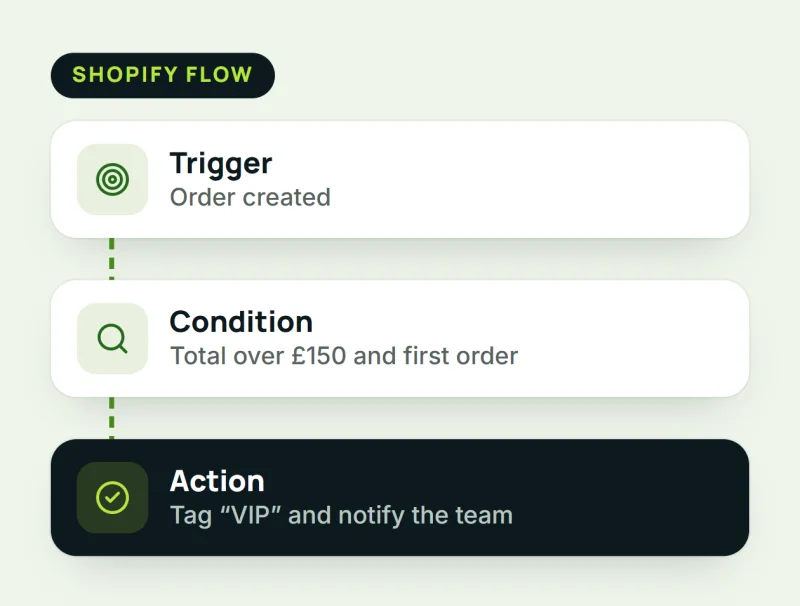
Illustration of a Shopify Flow automation with a trigger, a condition and an action

The Shopify app development process

  1. Discovery under NDA. Map the problem, the data and the people involved, and confirm nothing existing already solves it.
  2. Specification and fixed quote. A written scope covering features, integrations, edge cases and acceptance criteria, priced as a fixed fee.
  3. Architecture and access. API scopes chosen on a least-privilege basis, webhooks planned, hosting agreed and a development store set up.
  4. Build in sprints. Developers work in one to two week sprints using Shopify CLI, the GraphQL Admin API and Polaris for a native admin feel, with a demo at the end of each.
  5. QA and 4-eyes review. Every feature is tested against the specification, including failure cases such as rate limits, duplicate webhooks and bad data.
  6. Staged release. The app goes to a staging store, then production, with a rollback plan and monitoring in place.

Laptop and tablet showing pie charts on a desk with coffee cups

What drives the cost of a custom app

There is no honest single price for a custom app, because two apps can differ more than two houses. These are the factors that move the number:

  • How many external systems the app connects to, and how well documented their APIs are.
  • The volume and frequency of data, from a nightly stock file to real-time order sync.
  • The number of admin screens, settings and user roles your team needs.
  • Storefront or checkout extensions on top of back-office logic.
  • Error handling, logging and alerting, which separate a demo from a dependable tool.
  • Ongoing hosting, monitoring and API version updates.

A tightly scoped admin tool sits at the lighter end; a two-way ERP sync that has to cope with Black Friday order volumes sits at the heavier end. The best way to protect your budget is a clear specification and a fixed quote against it, with change requests priced separately rather than absorbed into an open-ended timesheet.

AI features in custom apps

Custom apps are increasingly used to connect Shopify data to AI models, for example to draft product copy, classify customer messages or flag unusual orders for review. If you are weighing that up, start with our overview of AI for Shopify Stores, then decide whether a custom app, an existing tool or Shopify's built-in AI features is the better fit.

Questions to ask before you commission an app

  • Who owns the code repository and the hosting account?
  • How will the app be documented and handed over?
  • Which API scopes does it request, and why?
  • Who updates it when Shopify releases a new API version?
  • What happens if an integration fails at 2am on a sale weekend?

Custom app tips

  • Search before you specify

    Spend an afternoon in the Shopify App Store and with Shopify Flow before writing a specification. Many workflows that feel bespoke, such as tagging high-value orders or alerting staff to low stock, are already handled by existing tools. Commission custom code only for the part that is genuinely unique to your business and worth owning. A smaller scope also means a faster, cheaper build and less to maintain.

  • Own the accounts

    Make sure the hosting account, code repository and app record belong to your business, with the developer invited as a collaborator. If the relationship ends, you keep everything you paid for, and a new team can pick up the work without rebuilding from scratch or negotiating awkward access transfers. Keep a simple register of every account, who holds admin rights and when access was last reviewed.

  • Ask for least privilege

    An app should only request the API scopes it truly needs. Read access to orders is very different from write access to customers. Review the scope list during specification, keep staff access to the app's settings limited, and document why each permission exists so future security reviews are quick and painless. Fewer scopes also mean less exposure if a credential is ever compromised.

  • Plan for peak trading

    Test the app against the volume you expect on your busiest day, not an average Tuesday. Black Friday, Boxing Day and big product drops expose rate limits, slow queries and duplicate webhooks. Agree a code freeze before peak, and make sure someone is on call if an integration stalls mid-sale. Alerts should reach a person, not just a log file nobody reads.

See what AI agents could automateAI Agents for Shopify

FAQs

Shopify app development FAQs

Straight answers before you get in touch. More in our FAQs.

How much does a custom Shopify app cost in the UK?

It depends entirely on scope, which is why we quote a fixed price after discovery rather than publishing a single figure. A focused admin tool costs far less than a two-way ERP integration with real-time stock and order sync. If you would rather have ongoing capacity than a one-off project, a dedicated part-time developer starts from £2,295 per month ex VAT for 80 hours. Either way, you see the full cost before any work begins.

How long does it take to build a custom Shopify app?

Timelines follow scope. A small admin utility can move from specification to release in a handful of sprints, while integrations with several systems take longer because each one needs testing against real data. We agree a timeline alongside the fixed quote, deliver in one to two week sprints with demos, and flag any risk to dates as soon as it appears in weekly reporting. Avoid launching new integrations in the weeks before peak.

Do I need Shopify Plus to run a custom app?

Not for most custom apps. Admin tools, data integrations and theme app extensions work across Shopify plans. The main exceptions are custom apps that use Shopify Functions for bespoke discount, shipping or payment logic, and checkout extensions on the information, shipping and payment steps, which generally require Shopify Plus. We confirm plan requirements during discovery, so there are no surprises once the build is under way.

Who owns the code once the app is finished?

You should, and it is worth writing that into the contract. We recommend setting up the code repository, hosting account and app record in your business's name, with our developers working as invited collaborators. At the end of the engagement you receive documentation, our access is removed and any data we hold is returned or deleted, so you can extend the app in-house or with another partner without starting again.

What happens when Shopify updates its APIs?

Shopify releases a new API version every quarter and retires older versions on a published schedule, so a custom app needs periodic updates to stay compatible. Shopify now treats the REST Admin API as legacy and steers new development towards GraphQL, which is why new builds should use GraphQL from the start. A monthly support plan covers these updates alongside monitoring, bug fixes and small improvements as your needs evolve.

Can a custom app slow down my storefront?

It can if it injects heavy scripts, but a well-built app should not. Most custom app logic runs in the Shopify admin or on a server, invisible to shoppers. Storefront features delivered through theme app extensions load only where the block is placed, and Shopify Functions run on Shopify's own infrastructure. We check performance on key templates, on mobile as well as desktop, during QA before anything goes live.

Is our customer data safe when you build a custom app?

Security is designed in from the start. We sign an NDA before any data is shared, request only the API scopes the app needs, use least-privilege access with 2FA and work in line with UK GDPR. Client data is never used to train AI models, and at contract end our access is removed. We also keep personal data stored outside Shopify to an absolute minimum and document exactly where it lives.

Keep reading on custom Shopify development projects

Need a custom Shopify app built properly?

Tell us the problem you are trying to solve and we will confirm whether an existing app, Shopify Flow or custom code is the smartest route. If a build makes sense, you get a written specification, a fixed quote, a dedicated project manager and sprint demos, with code and accounts set up in your business's name from day one and weekly progress updates until release.

Get a quote Call WhatsApp (opens in new tab)