Plenty of UK brands start as DTC shops and then find stockists, salons, cafés or independent retailers knocking on the door. Suddenly you are juggling trade price lists in spreadsheets, orders by email and invoices chased by hand. Moving that work onto shopify b2b features brings trade buyers into the same platform as your consumer store, with their own prices, terms and self-service ordering. This guide explains how a well-planned wholesale setup comes together, from structure and pricing to integrations and launch, and what to decide before a single trade price is entered.
What Shopify B2B includes
- Companies and locations: one business account with multiple buyers and delivery addresses, such as a group of salons or a chain of farm shops.
- Catalogues and price lists: control which products each trade customer sees and what they pay, using fixed prices or adjustments from retail.
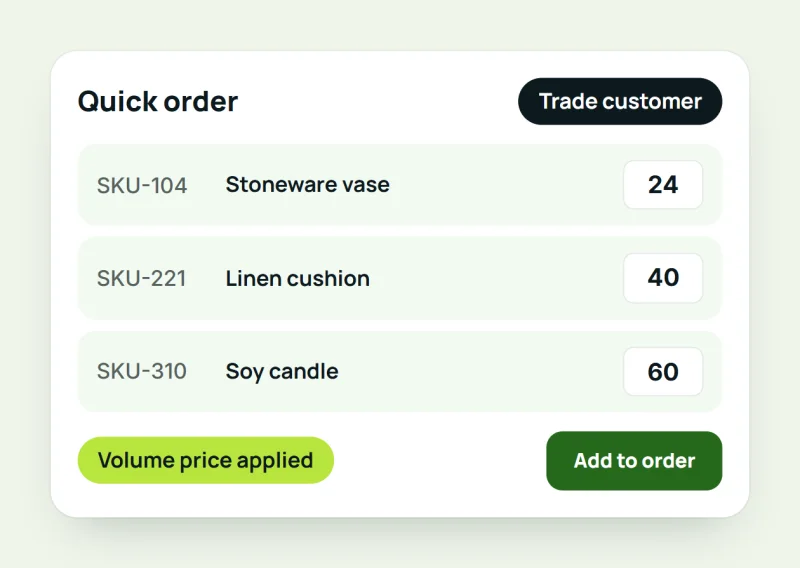
- Quantity rules and volume pricing: set minimums, maximums, order increments and price breaks for larger quantities.
- Payment terms: let trusted accounts pay on terms, alongside card payment for newer customers.
- Trade checkout and draft orders: buyers order online themselves, while your sales team can still create orders on their behalf.
Blended store or separate wholesale store?
Blended store
Trade buyers sign in to the same storefront as consumers and see their own prices and products. It is simpler to run, keeps one product catalogue and suits brands where trade and retail ranges largely overlap. Retail shoppers never see trade prices, and your team manages stock, content and orders in one admin.
Separate wholesale store
On Shopify Plus, an expansion store can be dedicated to trade buyers, with its own design, navigation and messaging. It suits brands with very different trade ranges, wholesale-only products or a team that manages trade separately. The trade-off is a second storefront to maintain, so plan content updates and reporting with that in mind.
Step-by-step Shopify B2B setup
- Map your trade model: price tiers, discounts, minimum orders, payment terms and which customers get which deal.
- Build catalogues and price lists that reflect those tiers, rather than creating one-off arrangements for every account.
- Create companies and locations, importing existing trade accounts in bulk where possible.
- Configure payment terms and checkout, including purchase order numbers and VAT details on invoices.
- Adapt the theme for trade: quick order lists, bulk add-to-basket, clear pack sizes and hidden retail-only promotions.
- Connect your systems so stock, orders and invoices flow to your ERP, accounting or warehouse software.
- Test with friendly accounts before inviting every stockist to sign in.

Wholesale on standard Shopify plans
If you are not on Plus, check which native B2B features your current plan includes, then fill any gaps with a wholesale app for tiered pricing, trade registration forms and order minimums. It is a sensible way to prove demand, provided you plan the move to native features once trade volume grows.
UK details that matter for trade buyers
Trade customers expect VAT-correct invoices, clear delivery charges for bulk orders and payment terms that match normal UK trade practice. Agree how VAT numbers are captured, how credit limits are approved and how pallet or courier deliveries are priced before launch, and confirm the tax treatment with your accountant. Clear trade terms published on the site save your team from answering the same questions on every call.
Keep admin light as trade grows
A wholesale channel adds questions, reorders and reporting. Shopify Flow can tag new trade accounts, alert your team to large orders and route approvals automatically, while Shopify's built-in AI can help with product copy and day-to-day admin. Our Shopify Magic & Sidekick Setup service configures both so your team spends more time with buyers and less time in the back office. At Shopify Agency London, every B2B project runs on a fixed price with a dedicated project manager, QA and 4-eyes review and weekly reporting.