
Desktop monitor, tablet and phone showing the same online store

Migration

Magento to Shopify Migration Checklist: Move Without Losing SEO

Plan a Magento to Shopify migration without losing rankings: URL mapping, redirects, data and launch checks in one UK checklist. Get a fixed quote.

In this article (6 sections)
  1. Why UK brands are moving from Magento to Shopify
  2. Phase 1: Audit and benchmark before you touch any data
  3. Phase 2: Map Magento data to Shopify's model
  4. Phase 3: Build a redirect map that protects rankings
  5. Phase 4: Test on a password-protected store
  6. Phase 5: Launch, then monitor closely

Key takeaways

  • Treat your Magento to Shopify migration as an SEO project as well as a data project. Rankings are tied to URLs, content and internal links, and Shopify's fixed URL structure means almost every product and category address will change. Protecting search visibility starts in week one of planning, not in the final week before launch, when there is no time left to fix gaps or argue for extra budget.
  • Build a complete URL inventory before anything moves. Combine a full crawl of the Magento site with indexed pages from Search Console, your XML sitemap, GA4 landing pages and a backlink export. Anything that earns traffic, revenue or links needs a destination on Shopify, and anything missing from that list is a 404 waiting to happen after go-live. Keep that inventory as the single source of truth for the whole team.
  • Map redirects one to one wherever possible. Send each old product, category, CMS page and blog URL to its closest Shopify equivalent with a 301, never dump everything on the homepage, and remember that Magento's .html suffixes, nested category paths and legacy URLs from earlier redesigns all need explicit rules. Test every rule before launch, not after.
  • Expect your data model to change shape. Magento configurable products become Shopify products with variants, attributes become metafields and filters, and customer groups or tier prices may need Shopify's B2B features or a wholesale app. Agree these mappings in writing before anyone exports a single CSV, or you will repeat the import several times. A short data-mapping document that everyone signs off saves weeks of rework.
  • Customer passwords cannot be carried across from Magento. Depending on the Shopify customer account type you choose, returning customers either sign in with a one-time code sent by email or activate their account with a new password, so prepare clear, friendly messaging that explains the change before your launch email goes out. Put the same wording on the login page.
  • Launch day is the middle of the project, not the end. Test redirects in bulk, submit the new sitemap, watch Search Console and 404 reports daily for the first few weeks, and keep a list of quick fixes ready. Close monitoring is what turns a nervous replatform into a confident one that your trading team can stop worrying about. Budget time for this monitoring in the plan itself.

A Magento to Shopify migration can be one of the best commercial decisions a UK retailer makes, or a painful lesson in how quickly organic traffic can disappear. The difference is almost always preparation. This checklist walks through every stage, from the first crawl to the weeks after launch, so your rankings, customer data and order history arrive intact. Use it to brief an in-house team, to challenge a supplier's plan, or to scope a managed migration Magento to Shopify with our specialists. Keep it open beside your project plan and tick items off as you go.

Why UK brands are moving from Magento to Shopify

Magento 1 reached end of life in June 2020, and many merchants who moved to Magento 2 have since found the upgrades, security patches, hosting and extension conflicts expensive to keep on top of. Shopify takes hosting, security and PCI compliance off your plate, ships platform updates automatically, and offers a large app ecosystem for everything from reviews to subscriptions. The trade-off is a more opinionated structure, which is exactly why careful planning matters.

Phase 1: Audit and benchmark before you touch any data

Build a complete URL inventory

  • Crawl the live Magento site with a tool such as Screaming Frog and export every indexable URL.
  • Export indexed pages and top landing pages from Google Search Console.
  • Pull landing-page data from GA4 so you know which URLs earn revenue, not just visits.
  • Export backlinks from your SEO tool and flag pages with strong external links.
  • Download the current XML sitemap as a cross-check.
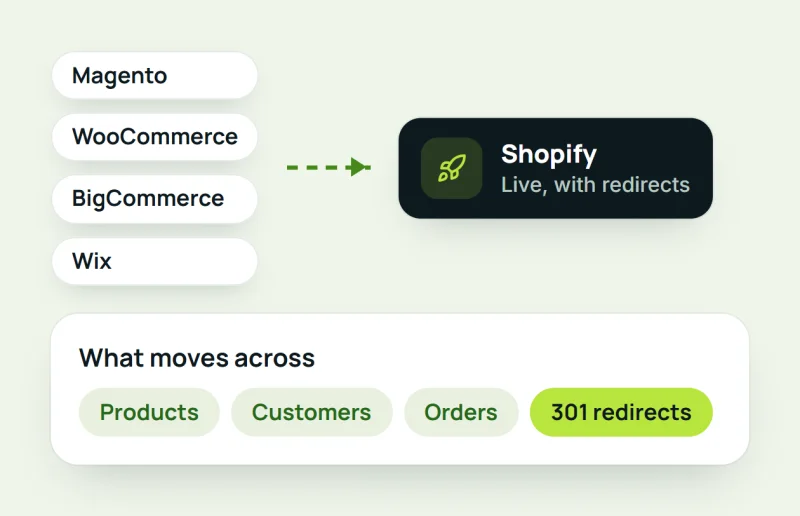
Illustration of a store migration from Magento, WooCommerce, BigCommerce or Wix to Shopify, with data and redirects carried across

Record your baseline

Note organic sessions, revenue, conversion rate and rankings for your priority keywords. Save the page title, meta description and H1 for every important URL. Without a baseline you cannot prove the migration worked, and you cannot spot a problem quickly if it didn't. Export your top twenty organic landing pages and pin the list to the project board; these are the URLs you will check first on launch morning.

Phase 2: Map Magento data to Shopify's model

The two platforms organise catalogues differently, so decide every mapping before exporting anything:

  • Products: configurable products become Shopify products with variants; check your largest products against Shopify's current variant and option limits.
  • Categories: become collections, either manual or automated by tag, product type or metafield conditions.
  • Attributes: move into metafields, which can power storefront filters through Shopify's Search & Discovery app.
  • Customers and orders: import addresses, email marketing consent and order history so your service team keeps context.
  • CMS pages and blog posts: rebuild as Shopify pages and articles, keeping copy and headings intact.
  • Reviews: export them and import into your chosen reviews app so star ratings survive the move.

For most catalogues a bulk tool such as Matrixify handles imports reliably, while very large or heavily customised stores may need scripted imports through Shopify's Admin API. Run at least one full test import and check a sample of products line by line.

Team at desktop computers while a colleague explains a task

Phase 3: Build a redirect map that protects rankings

This is the heart of a Magento to Shopify migration with no SEO loss. Shopify uses fixed paths such as /products/ and /collections/, so nearly every Magento URL changes. Your redirect map should:

  • Send every old URL to its closest equivalent with a 301, one to one, never in bulk to the homepage.
  • Cover .html suffixes, nested category paths and product URLs that include category folders.
  • Include legacy URLs from previous redesigns, which often still hold valuable backlinks.
  • Avoid chains, so each old address reaches its final page in a single hop.
  • Cover CMS pages, blog posts and any image URLs that attract search traffic.

Shopify only applies a URL redirect when the old path no longer exists on the new store, so test against the real configuration rather than assuming. Alongside redirects, carry over titles, meta descriptions, headings, image alt text and body copy, and confirm the theme outputs sensible canonical tags and product structured data.

Phase 4: Test on a password-protected store

  • Run the full redirect list through a crawler and confirm each row returns one 301 to a live page.
  • Place test orders with Shopify Payments, PayPal and any pay-later option you offer.
  • Check UK VAT settings, VAT-inclusive pricing and shipping rates for Royal Mail, couriers and click-and-collect.
  • Confirm GA4, ad pixels and the consent banner behave correctly before real traffic arrives.
  • Review every transactional email, from order confirmation to refund, in your brand voice.
  • Test speed and layout on real phones, not only desktop previews.
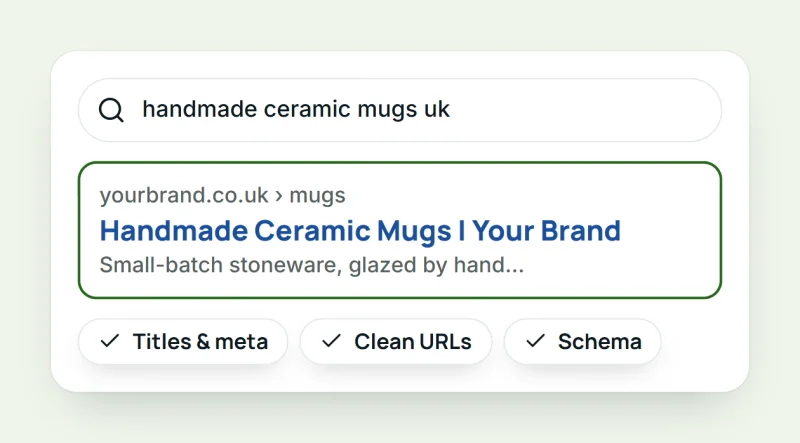
Illustration of a Shopify store listing in search results with an SEO checklist

Small details that cause big headaches

  • Email DNS records: when you repoint the domain, keep the existing MX and SPF records so company email keeps working.
  • Merchant Center: reconnect the product feed and verify the domain again so Shopping ads don't pause.
  • Gift cards and store credit: agree how outstanding balances will be honoured after the switch.
  • Email lists: connect Klaviyo or your email platform to Shopify, with consent flags carried across.
  • Custom 404 page: design a helpful one with search and popular collections, because a few stray URLs always slip through.

Phase 5: Launch, then monitor closely

Choose a quieter trading window, well away from Black Friday or a major seasonal drop. On launch day, point your domain, remove the password, submit the new sitemap in Search Console and request indexing for key pages. Then check daily for the first few weeks:

  • Search Console's page indexing report and crawl errors.
  • 404s surfaced by crawls, Search Console or analytics, fixed with new redirects as they appear.
  • Rankings and organic revenue against your Phase 1 baseline.
  • Internal links still pointing at redirected URLs, updated to the final address.

Some ranking movement while Google recrawls is normal; a clear, sustained fall is not, and your URL inventory tells you where to look. Once the store is stable, it is a good moment to improve product content at scale, and our overview of AI for Shopify Stores explains where AI tools help and where human review stays essential.

Migration tips from the project floor

  • Agree a content freeze window

    Pick a date after which nobody edits products, categories or CMS pages on Magento, and tell merchandising, marketing and customer service well in advance. Changes made after the final export simply won't appear on Shopify. Orders and new customers keep flowing during the build, so plan a final delta import of those records just before launch to close the gap. Put the freeze date in everyone's calendar, not just the project plan. If a price change is unavoidable during the freeze, log it in a shared sheet so it can be reapplied on Shopify before go-live.

  • Run redirects from a sortable sheet

    Keep the redirect map in one spreadsheet with columns for old URL, organic sessions, revenue, backlinks, new URL, status code and who tested it. Sorting by value means the pages that matter most get checked first and twice. The same sheet becomes your post-launch audit trail, so when a ranking moves you can see exactly where that URL now points and whether it was tested properly. Share it with whoever manages paid search too, because ad final URLs need updating to the new Shopify addresses at the same moment.

  • Write the customer account message early

    Returning customers will notice that their old Magento password no longer works, and some will contact support or abandon their basket. Draft the account message during the build, not on launch morning: explain the move, reassure people that their order history is safe, and show exactly how to sign in. Add the same wording to the login page and to your help centre so everyone hears one consistent story. If you run a loyalty scheme, mention whether points balances are coming across too, once you have confirmed it with the app provider.

  • Leave the clutter behind

    Years on Magento usually leave discontinued products, empty categories, duplicate attributes and test pages behind. Don't import them. Redirect retired products to the closest live product or parent collection, merge overlapping attributes into clean metafields, and drop pages that earn neither traffic nor links. A lean catalogue imports faster, filters more cleanly and gives Google fewer weak pages to crawl after launch. Do this cleaning on the export files before the first test import, so every later import inherits the tidy structure automatically.

Next: upgrade your product content after the moveAI Product Content & Descriptions

FAQs

Magento to Shopify migration FAQs

Straight answers before you get in touch. More in our FAQs.

How long does a Magento to Shopify migration take?

It depends on catalogue size, the number of integrations, how much historical data you want to keep and whether you are redesigning at the same time. A like-for-like move on a theme is much quicker than a custom design with ERP and warehouse connections. After discovery we give you a fixed timeline in the proposal, delivered in short sprints with weekly updates, so you are never guessing where things stand.

How much does it cost to migrate from Magento to Shopify?

Our Shopify Migration packages start from £1,995 ex VAT for Starter, covering up to 1k products, and from £3,995 ex VAT for Growth, which suits large catalogues and full redirect mapping. Complex projects with custom integrations are quoted individually as Custom. If you also need a new storefront, design is priced separately, and every quote is fixed before work starts, so there are no surprise invoices.

Will we lose Google rankings when we switch?

Some short-term movement is normal while Google recrawls new URLs, but a lasting drop usually points to missing redirects, lost content or broken internal links. A complete URL inventory, one-to-one 301 redirects, preserved titles and copy, and daily monitoring after launch are what protect your visibility. That is why redirects are treated as a core deliverable on our migrations, never as an afterthought squeezed in at the end.

Can we keep our Magento order history?

Yes. Historical orders can be imported into Shopify so customers see past purchases in their accounts and your service team can look up previous orders. Imported orders are set up as historical records, so they don't need to take payments, adjust stock or send confirmation emails. We agree with you how far back to go, because very old data adds import time without always adding much value for the team.

What happens to customer passwords?

Passwords cannot be transferred, because Magento stores them in a form Shopify cannot read. With Shopify's newer customer accounts, people sign in using a one-time code sent to their email, so no password is needed at all. With classic accounts, customers receive an invitation to activate their account. Either way, clear messaging before launch keeps returning shoppers relaxed and stops a wave of support tickets.

Can Shopify handle our B2B customer groups and tier pricing?

Often, yes. Shopify's native B2B features support company profiles, custom catalogues, price lists and payment terms, and which of those you can use depends on your Shopify plan. Where needs are simpler, wholesale apps can cover tiered pricing and trade-only access. We review your Magento customer groups and price rules during discovery and recommend the lightest setup that keeps trade buyers happy.

Should we redesign during the migration or move like-for-like?

Both can work. A like-for-like move limits risk, because fewer things change at once and any ranking movement is easier to diagnose. A redesign during migration avoids paying twice and lets you fix conversion problems immediately. Many UK brands take a middle path: migrate onto a strong theme first, then improve templates in planned sprints once traffic and sales have settled.

Do we need Shopify Plus after Magento?

Not necessarily. Many Magento stores run happily on standard Shopify plans. Plus becomes worth considering when you need advanced checkout customisation, larger B2B setups, several expansion stores, higher API rate limits or priority platform support. We compare your requirements with each plan during discovery, because choosing the right plan upfront avoids paying for features you will not use.

What about the Magento extensions we rely on?

We list every extension, note what each one actually does for the business, then find the Shopify equivalent: a native feature, an app or a small custom build. Some extensions turn out to be unnecessary on Shopify because the platform already covers the job. Fewer moving parts usually means a faster store and fewer late-night conflicts after updates.

Can you migrate from Magento 1 as well as Magento 2?

Yes. Data can be exported from either version, although older Magento 1 stores often carry more inconsistent attributes, duplicate products and legacy URLs from past redesigns. That simply means more cleaning and redirect work during planning. If your Magento 1 site is still trading, moving promptly also removes the risk of running an unsupported platform that no longer receives security patches.

What happens to our ERP or warehouse integration?

Integrations are rebuilt to connect with Shopify rather than Magento, either through an existing connector or a custom integration using Shopify's APIs. We map which system owns stock, prices, orders and customer records, then test the full flow on a staging store before launch. Cut-over timing is planned with your operations team so dispatch is never left waiting on stuck orders.

How do you keep our data secure during the migration?

An NDA is signed before any data is shared. We use least-privilege access with 2FA through a password manager, keep an access log, and handle personal data in line with UK GDPR. Client data is never used to train AI models, and at the end of the engagement access is removed and data is returned or deleted, so nothing lingers on our side.

Comparing platforms before you commit?

Hand your Magento migration to a team that has a checklist for everything

Our migration team handles the whole move for you, from URL inventory and redirect mapping to data imports, theme build, testing on a password-protected store and close monitoring after launch, with a dedicated PM, 4-eyes QA on every redirect batch, weekly progress reports and a fixed price agreed before work begins, so you can keep trading confidently while we do the heavy lifting. Every project starts with an NDA, and your Magento data is deleted once the engagement ends. Prefer to see the process first? Book a live walkthrough with our team on Zoom or Google Meet.

Get a quote Call WhatsApp (opens in new tab)