
Wix is where plenty of UK brands take their first steps online. It is quick to launch, easy to edit and perfectly capable of running a portfolio, a booking site or a small shop. But as orders grow, many founders hit a ceiling and start asking whether a move from Wix to Shopify is worth the effort. This guide sets out the signs that it is time to switch, the cases where staying put is smarter, and how to plan the move so you keep your rankings, your customers and your sanity.
Why Wix works well at the start
Wix's drag-and-drop editor lets a small team build an attractive site without a developer, and its built-in store features cover the basics: products, payments, simple shipping rules and discount codes. For a ceramicist in Bristol selling a few dozen pieces, or a Leeds salon adding gift vouchers to its booking site, that can be all the commerce they need. The editor is flexible, the templates look polished and hosting is handled for you, which is exactly what an early-stage business needs.
Signs it is time to move from Wix to Shopify
The trigger is rarely one dramatic failure. It is usually a build-up of small frictions that quietly cost time and sales:
- Your catalogue has outgrown the tools. Managing lots of variants, bundles, stock across locations or bulk edits now relies on workarounds and spreadsheets.
- You need apps you cannot get. Subscriptions, loyalty, advanced reviews, Klaviyo flows and ERP or 3PL connections tend to be deeper and better supported in the Shopify App Store.
- You want more than one sales channel. Shopify POS for pop-ups and shops, wholesale price lists and selling to the EU or US through Shopify Markets all run from the same admin.
- Checkout feels limiting. You want accelerated options such as Shop Pay, a wider choice of payment providers or more control over upsells and post-purchase offers.
- Your team is fighting the admin. Order tagging, stock alerts and routine updates eat hours that an automation tool such as Shopify Flow could take on.
When staying on Wix is the right call
Changing platform is an investment, so do not switch just because a competitor did. If most of your revenue comes from services or bookings, your range is small and stable, and your current site converts well, the budget may work harder in photography, content or paid social. Revisit the question when your plans change: a wholesale channel, a second shop or a push into Europe are all good moments to reassess.

What a Wix to Shopify migration involves
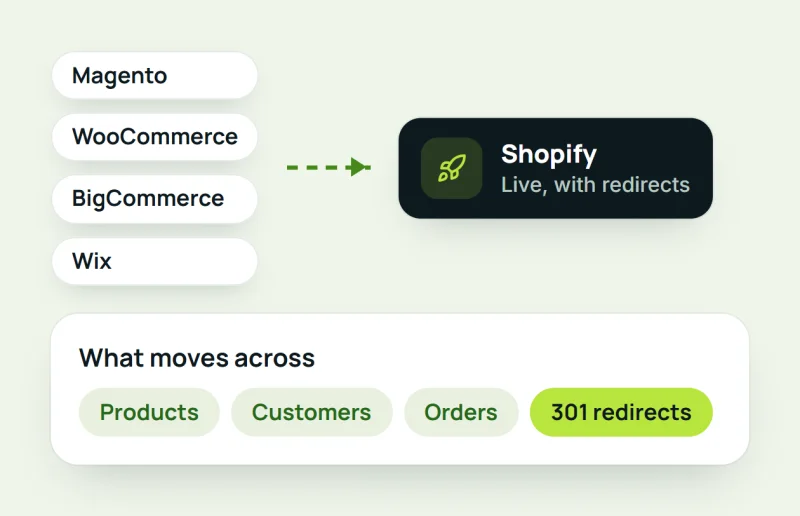
A good migration is a project, not a copy-and-paste job. Expect to move:
- Products, variants, images and inventory, cleaned up on the way rather than moved as they are.
- Customers and order history, where you need them for service and marketing.
- Pages, blog posts and policies, rewritten where they are thin or out of date.
- Redirects from every old URL that earns traffic or links.
Customer passwords cannot be carried across platforms, so plan a friendly account invitation for relaunch day. Design is rebuilt rather than transferred, because Wix templates do not convert into Shopify themes. That makes the move a natural moment to refresh navigation and the mobile buying journey.
How to time the switch
- Audit the current site: top landing pages, backlinks, apps and integrations.
- Agree scope and a fixed quote, including redirects and data clean-up.
- Build and test the Shopify store on a preview while Wix keeps trading.
- Check payments, delivery rates, VAT-inclusive prices and emails end to end.
- Launch in a quieter trading week, then watch Google Search Console and analytics closely for the first month.
Once you are live, Shopify's built-in AI tools open up faster ways to write product copy, answer trading questions and run the store day to day. Our guide to AI for Shopify Stores explains where to start.